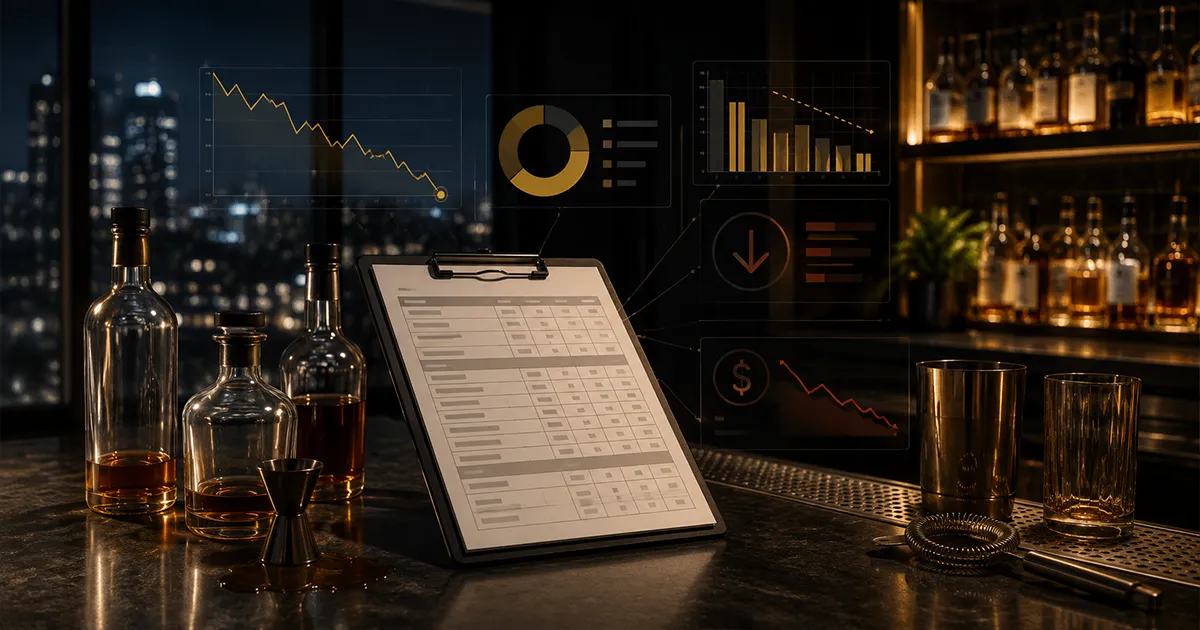
A bar waste log sounds like a simple admin task: write down spills, broken bottles, dumped drinks, and comps so the numbers look cleaner later. But when it is built the right way, the waste log becomes one of the most useful profit-control tools in the bar. It shows where inventory leaves without revenue, who logged it, when it happened, why it happened, and whether the loss is a normal service cost or a pattern that needs attention.
Most bars lose money in the gap between "we know something happened" and "we can prove what happened." A bottle breaks. A bartender remakes a drink. A manager comps a round. A keg kicks with too much foam loss. A batch gets dumped because prep was wrong. If those events are not recorded consistently, they show up later as unexplained usage, bad pour cost, inflated shrinkage, or a variance report that no one trusts.
This guide shows the five metrics your bar waste log should track if you want it to protect margin instead of becoming another forgotten spreadsheet. The goal is not to punish normal waste. The goal is to make legitimate waste visible, keep variance reports accurate, and catch patterns before small losses become weekly habits.
For broader operating context, the National Restaurant Association's 2026 State of the Restaurant Industry report points to ongoing cost pressure for restaurants, which is why small waste, comp, and breakage events deserve a clean record instead of a guess.
What Is a Bar Waste Log?
A bar waste log is a record of product that leaves inventory without becoming a normal paid sale. It can include spills, breakage, dumped drinks, bad batches, incorrect cocktails, expired ingredients, comped drinks, staff training pours, tastings, shift drinks, draft foam loss, and other adjustments that reduce inventory.
The important part is that waste is not one single thing. A broken bottle, a legitimate guest recovery comp, an over-prepped citrus batch, and a suspicious end-of-shift adjustment all have different causes. If they all get lumped together as "waste," the owner cannot tell whether the bar has a training problem, purchasing problem, portioning problem, theft risk, or normal service cost.
- ▸Spills: drinks or ingredients lost by accident during service.
- ▸Breakage: bottles, glasses, containers, or kegs damaged before sale.
- ▸Comps: product intentionally given away and recorded as complimentary.
- ▸Remakes: drinks remade because of order errors, guest complaints, or recipe mistakes.
- ▸Adjustments: inventory corrections, bad batches, line-cleaning loss, or manager-approved write-offs.
Why Waste Logs Matter for Bar Profit
Unrecorded waste damages more than inventory accuracy. It damages decision-making. If a bottle is spilled and no one logs it, the next count makes that missing product look like over-pouring, theft, bad recipe math, or a count error. Managers may chase the wrong issue because the legitimate explanation was never captured. A waste log is the cheapest correction available inside bar inventory management, because it removes an explanation you would otherwise spend a week chasing.
Waste logs also protect your team. If a bartender breaks a bottle and logs it correctly, the variance report has context. If the same item is short and nothing was logged, suspicion fills the gap. Clear logs reduce guesswork and make follow-up more fair because managers can separate normal service loss from repeated patterns.
The financial impact is not just the wholesale cost of the product. Waste affects pour cost, menu margin, ordering, par levels, and trust in inventory reports. If the waste log is weak, the entire inventory system becomes noisy.
Metric 1: Item and Category
The first metric is the exact item. A waste log that says "vodka spill" is better than nothing, but it is not enough. Was it well vodka, a premium call brand, an allocated bottle, a house cocktail batch, or a bottle used across several high-volume drinks? Item-level detail is what turns a vague loss into a useful control point.
Category matters too because patterns often start at the category level. If most waste is in fresh juice, the issue may be prep volume or shelf life. If it is draft beer, the problem may be line cleaning, foam, tap pressure, or keg changes. Our draft beer shrinkage guide explains how to separate foam loss from true keg variance. If it is premium tequila, the bar may have a training, storage, or theft concern.
- ▸Record the product name exactly as it appears in inventory.
- ▸Assign the category: liquor, beer, wine, keg, mixer, syrup, garnish, food, supply, or batch.
- ▸Separate menu-item waste from raw inventory waste when possible.
- ▸Flag premium, high-theft-risk, high-volume, and high-cost items for review.
This connects directly to your bar inventory checklist. If items are named inconsistently in the count, purchase log, recipe, and waste log, the report will not line up cleanly. A waste log only works when it points to the same product record the rest of the inventory system uses.
Metric 2: Quantity and Unit
The second metric is quantity. A good waste log records how much product was lost and in what unit. One spilled cocktail is not the same as one spilled bottle. Half a keg is not the same as a pint. A dumped batch may be measured in ounces, liters, gallons, or servings depending on how the bar manages prep.
Unit consistency matters because waste needs to flow into variance and cost. If a manager logs "1" with no unit, no one knows whether that means one drink, one ounce, one bottle, one case, or one keg. That kind of ambiguity creates the same problem the log was supposed to solve.
- ▸Use ounces for spirits, cocktail batches, juices, syrups, and high-value ingredients.
- ▸Use bottles, cans, cases, or packs for packaged beer and wine when appropriate.
- ▸Use keg fractions or measured keg units for draft loss.
- ▸Use servings for menu-item remakes only if the recipe is mapped to inventory.
- ▸Require manager review for large adjustments above a defined threshold.
The more valuable the product, the more precise the quantity should be. A vague note on a low-cost garnish may be fine. A vague note on a premium bourbon bottle is not.
Metric 3: Waste Type and Reason
The third metric is the reason. This is where many waste logs fail. They record that product was lost, but not why. Without the reason, the owner cannot tell whether the fix is training, recipe correction, equipment repair, purchasing discipline, staff coaching, or tighter approval rules.
Use a short list of reason codes so the data stays clean. Free-form notes are helpful, but if every manager writes a different version of the same issue, the weekly review becomes harder. Standard reason codes make trends easy to sort.
- ▸Spill: accidental loss during service or prep.
- ▸Breakage: bottle, container, or package physically damaged.
- ▸Guest recovery comp: manager-approved comp for service recovery.
- ▸Staff training: product used for onboarding, tasting, or recipe training.
- ▸Recipe error: drink made incorrectly and remade.
- ▸Expired or spoiled: juice, garnish, wine, syrup, batch, or perishable ingredient discarded.
- ▸Draft loss: foam, line cleaning, keg change, pressure issue, or tap problem.
- ▸Inventory adjustment: correction approved by a manager after count review.
Reasons should be specific enough to drive action. If draft loss is high because of foam, check pressure and line maintenance. If remakes are high on one cocktail, audit the recipe and training. If comps are high on one employee's shifts, review comp approval and POS permissions.
Metric 4: Employee, Shift, and Timestamp
The fourth metric is accountability context: who logged the waste, when it happened, and what shift it belonged to. This is not about assuming bad intent. It is about pattern recognition. If waste clusters around one shift, one event type, one station, one bartender, or one manager, the bar needs to know.
For the handoff side of that workflow, use a bar shift log template that records waste, breakage, comps, stockouts, and manager notes in the same daily rhythm as your inventory review. If you need the full field list, use the bar waste, breakage, and shift log fields checklist.
A timestamp also keeps the log tied to the right inventory period. Waste recorded after the count but caused before the count can make reports confusing. The closer the log is to the actual event, the cleaner the variance math becomes.
- ▸Record who logged the waste.
- ▸Record the shift or service period: lunch, happy hour, dinner, late night, event, or closing.
- ▸Record the timestamp, not just the date.
- ▸Separate the person who logged the event from the manager who approved it when needed.
- ▸Review repeated waste by employee only after checking volume, station, and shift context.
This metric matters because theft, over-pouring, and process problems often appear as timing patterns before they appear as obvious totals. For example, a recurring spike in end-of-shift waste entries may mean staff are logging product after the fact to explain missing inventory. It may also mean closing procedures are messy. Either way, the timestamp tells you where to look.
Metric 5: Cost and Variance Impact
The fifth metric is the money. A waste log should eventually show the cost impact of each entry, not just the operational note. Product loss should be translated into dollars so managers know what matters most. Ten small entries on premium tequila may deserve more attention than a large-looking entry on low-cost soda.
The log should also clarify whether the entry should reduce variance. If a manager records a legitimate broken bottle before the count period closes, that loss should explain part of the product movement. If the waste is not connected to inventory, the variance report may still show the item as missing.
- ▸Calculate estimated cost using current item cost or cost per ounce.
- ▸Show total waste dollars by item, category, reason, employee, and shift.
- ▸Separate legitimate logged waste from unexplained variance.
- ▸Review high-cost waste before placing the next order.
- ▸Compare waste dollars to sales volume so busy shifts are judged fairly.
This is where waste tracking connects to bar inventory variance. A variance report without waste context can overstate unexplained loss. A waste log without variance review can hide a pattern. The two need to work together.
The Bar Waste Log Template
A practical waste log should be simple enough for staff to use during service and detailed enough for managers to review later. The fields below are the minimum structure most bars need. You can add photos, manager approval, POS check number, station, or event name if your operation needs more detail.
- 1Date and timestamp.
- 2Shift or service period.
- 3Employee who logged the event.
- 4Manager approval if required.
- 5Waste type: comp, spill, breakage, remake, expired, draft loss, adjustment, or training.
- 6Item or menu item name.
- 7Category.
- 8Quantity.
- 9Unit.
- 10Reason code.
- 11Optional note.
- 12Estimated cost.
- 13Whether it should affect variance.
If you are using a spreadsheet, keep the reason codes consistent and avoid blank quantity fields. If you are using software, the goal is the same: make the entry fast during service but structured enough to support reporting afterward.
How to Review the Waste Log Each Week
A waste log only helps if someone reviews it. The weekly review should be short and specific. Start with total waste dollars, then sort by item, reason, shift, and employee. Look for repeated patterns, not isolated accidents. A single broken bottle may be normal. The same product showing up every Friday night is a management signal.
- 1Sort waste by dollar impact.
- 2Review the top five items with the highest logged loss.
- 3Compare waste reasons by shift.
- 4Check whether comps match POS comp reports.
- 5Compare logged waste against inventory variance for the same items.
- 6Identify one process fix, training fix, or approval rule to test next week.
- 7Follow up on last week's action before adding new rules.
Do not turn every review into a staff confrontation. Most waste is operational. The point is to notice where the system is creating avoidable loss. If a drink is remade constantly, fix the recipe or training. If citrus spoilage is high, adjust prep levels. If draft waste spikes after line cleaning, check the procedure. If comp volume rises on one shift, review permissions and manager approval.
Common Waste Log Mistakes
The most common mistake is making the log too vague. "Spill" with no item, no quantity, no employee, and no reason does not help the owner manage anything. The second most common mistake is making the log so complicated that staff avoid using it. The right waste log balances speed and structure.
- ▸Using free-form notes instead of reason codes.
- ▸Leaving quantity or unit blank.
- ▸Recording comps in the POS but not connecting them to inventory usage.
- ▸Logging waste at the end of the night from memory.
- ▸Allowing large adjustments without manager approval.
- ▸Reviewing waste totals without checking variance.
- ▸Treating every waste entry as discipline instead of data.
- ▸Never closing the loop with training, recipe changes, ordering changes, or equipment fixes.
How BarGuard Handles Comps, Waste, and Spills
BarGuard includes a comps, waste, and spills workflow so bars can record non-sale product movement before it becomes unexplained variance. The point is to keep the inventory story complete: what sold, what was counted, what was purchased, what was comped, what was wasted, and what still does not add up.
That matters because waste should not disappear into a notebook while variance lives in another report. The owner needs both. If a bottle is short and there is a logged breakage entry, the report has context. If a product is short with no comp, waste, spill, purchase, or sales explanation, that is a different problem.
BarGuard helps connect this workflow with bar inventory software, POS-connected expected usage, purchase tracking, recipe mapping, and loss reporting. The result is not more paperwork. It is a cleaner explanation of where product went.
Final Takeaway
Your bar waste log is hiding profit leaks if it only records vague notes after something goes wrong. To protect margins, track the item, quantity, reason, employee or shift, timestamp, cost, and variance impact. Those fields turn waste from a messy afterthought into a management signal.
Start simple. Pick standard reason codes, require quantities and units, review high-dollar items weekly, and compare logged waste against inventory variance. Then use the patterns to fix recipes, retrain staff, adjust prep, tighten comp approvals, or repair equipment. A good waste log does not stop every spill. It stops the same preventable loss from repeating quietly.
BarGuard gives bar owners a way to connect comps, waste, spills, counts, purchases, recipes, and POS sales in one workflow, so missing product has context and profit leaks do not stay invisible until the monthly numbers are already gone.
BarGuard Catches What You Can't See
Connect your POS, count your inventory, and let BarGuard show you exactly where the gaps are, automatically, every week.