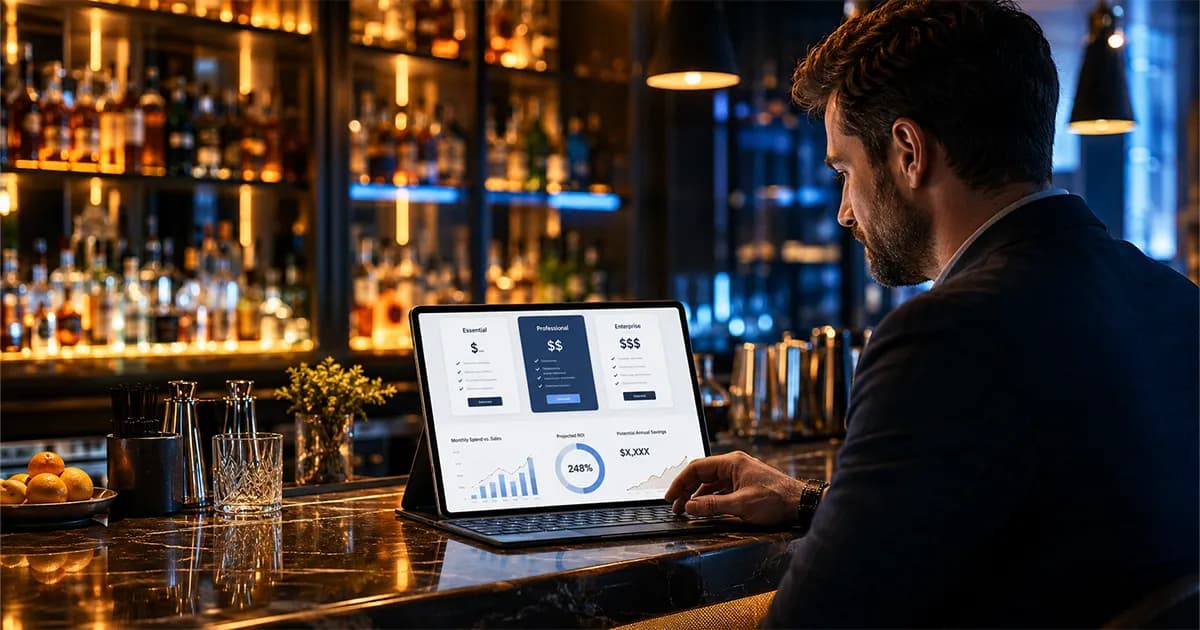
Bar inventory software pricing is confusing because most tools do not solve the same problem. A free spreadsheet, a mobile counting app, a POS inventory add-on, a restaurant procurement platform, and a full variance-tracking system may all show up when you search for bar inventory software. They can all help in different ways, but they are not worth the same price because they do not create the same level of control. For a side by side of the tools themselves, see our best bar inventory management software comparison, or read how to choose inventory software for a small bar.
The right question is not "What is the cheapest bar inventory app?" The better question is: what does the software need to prove every week? If all you need is a cleaner count sheet, a low-cost tool may be enough. If you need to catch over-pouring, shrinkage, missed comps, vendor price drift, and product that disappears without a sale, you need a system that connects inventory counts, purchases, recipes, and POS sales.
Pricing should be judged against the operating problem being solved. The National Restaurant Association's 2026 industry report frames why cost control matters, and Toast's PMIX documentation shows the kind of POS sales detail a serious variance workflow needs.
How Much Does Bar Inventory Software Cost?
In 2026, bar inventory software generally falls into five pricing bands: free spreadsheets, low-cost counting apps, dedicated bar inventory software, restaurant inventory platforms, and enterprise or service-assisted systems. The range can be wide because some tools only help you count bottles, while others calculate expected usage from POS sales and recipes.
A small bar may be able to start with a free spreadsheet or a simple app. A bar with real shrinkage, multiple bartenders, high-volume cocktails, or a large spirits list usually needs more than a count. It needs variance reporting, purchase tracking, recipe costing, and POS comparison. That is where the monthly cost rises, but it is also where the software starts protecting profit instead of just organizing inventory.
- ▸Free spreadsheet: usually $0, but requires manual setup, formulas, POS exports, and discipline.
- ▸Basic counting app: often low monthly cost or one-time app cost, best for faster physical counts.
- ▸Dedicated bar inventory software: commonly starts around the low hundreds per month when it includes automation and reporting.
- ▸Restaurant inventory platform: often higher because it may include purchasing, food costing, invoices, accounting, and multi-location tools.
- ▸Enterprise or service-assisted system: usually custom priced, especially when hardware, onboarding, or multi-location controls are included.
Why Pricing Varies So Much
Bar inventory software pricing varies because inventory control has layers. Counting bottles is the first layer. Purchase logging is another. Recipe costing is another. POS integration is another. Variance reporting is another. Multi-location permissions, vendor management, AI invoice scanning, reorder alerts, and profit reporting add more value because they reduce manual work and make loss easier to catch.
This is why comparing tools only by monthly subscription can mislead you. A $30 counting app and a $249 inventory platform may both have the word "inventory" on the page, but one may simply record stock levels while the other compares what should have been used against what actually disappeared. Those are different products with different outcomes. The bar inventory software comparison breaks down which tools fall on which side of that line.
Counting tools are priced for speed
Counting tools help managers get through shelves faster. They may support mobile entry, barcode lookup, bottle tenthing, cloud sync, or order lists. These tools are useful when the main pain is a slow paper process. They are less useful when the owner needs to know why usage did not match sales.
Variance tools are priced for loss control
Variance tools compare actual usage against expected usage. Expected usage comes from recipes and POS sales. Actual usage comes from counts and purchases. The gap is where over-pouring, theft, waste, bad recipes, missed comps, and receiving mistakes show up. This is the layer that turns inventory from a chore into a weekly profit-control system.
Restaurant platforms are priced for broader back-office work
Some platforms are built for full restaurant operations, not just bars. They may include food inventory, supplier ordering, invoice approval, accounting exports, recipe costing, and procurement controls. That can be valuable for multi-unit restaurants, but a bar owner should make sure they are not paying for food-heavy functionality when the real problem is beverage shrinkage.
Free vs Paid Bar Inventory Software
Free tools are not bad. In fact, a free spreadsheet can be the right first step if your bar is not counting consistently yet. The problem is that free tools usually stop at organization. They can show what you counted, what you bought, and what your rough inventory value is. They usually do not automatically connect sales, recipes, and actual usage in a way that catches hidden loss.
Paid software should earn its cost by doing one or more of three things: saving manager time, preventing stockouts, or recovering lost product. If it only makes the count look cleaner, it may be hard to justify. If it helps you find the bottle, keg, shift, vendor, or recipe causing a recurring loss, the return can be obvious quickly.
- ▸Use a free spreadsheet if you need to build the habit of counting and have a simple product list.
- ▸Use a basic counting app if paper counts are slowing the team down but variance is not yet the priority.
- ▸Use dedicated bar inventory software if you need inventory, purchases, POS sales, and recipes connected.
- ▸Use a broader restaurant platform if beverage inventory is only one part of a larger food, purchasing, and accounting workflow.
If you are still comparing free options, start with the guide to best free bar inventory apps. If you already know free tools are not enough, pricing should be judged against the size of the loss you need to recover.
The Features That Affect Price
The more a system can automate, connect, and explain, the more it usually costs. That does not mean every bar needs every feature. It means the buying decision should start with your highest-cost problem. A single-location cocktail bar with heavy spirits movement needs different functionality than a restaurant group managing food, beer, wine, and vendor contracts across several locations.
- 1POS integration: pulls sales data so the system can calculate expected usage.
- 2Recipe costing: converts each cocktail sale into ingredient-level depletion.
- 3Purchase and invoice tracking: keeps deliveries, emergency buys, and vendor costs in the same workflow as counts.
- 4Variance reporting: compares expected usage against actual usage and sorts loss by item or dollar impact.
- 5AI invoice scanning: reduces manual data entry when paper invoices or receipts come in.
- 6Reorder alerts: helps the bar buy on time without overstocking slow movers.
- 7Multi-user permissions: gives managers and staff access without sharing one login.
- 8Multi-location controls: lets owners compare locations, enforce standards, and review performance across units.
The highest-value feature for most bars is POS-based variance reporting. Without it, the system can tell you what changed. With it, the system can tell you whether the change makes sense. That difference is what catches loss.
What Should a Small Bar Pay?
A small bar should not automatically buy the most expensive system. It should buy the least complicated system that solves the expensive problem. If the bar has one location, a manageable bottle list, and no POS integration need, a spreadsheet or lightweight tool may be fine. If the bar is losing product, missing purchases, running high pour cost, or spending hours reconciling counts by hand, dedicated software is usually easier to justify.
For a single-location bar, a reasonable paid system should do more than count. It should help with real-time inventory, purchases, variance, recipe usage, staff access, and reporting. If it costs $129 to $249 per month but helps recover even a few hundred dollars of recurring monthly shrinkage, the math starts working. If it costs less but cannot reveal the loss, the subscription may be cheaper but less valuable.
A dive bar or neighborhood bar
A smaller bar with a short menu may start with lower-cost tools, especially if the owner is doing the counts personally. The key is to avoid staying there after the bar grows. Once multiple people count, pour, receive, and order, a simple sheet becomes harder to trust.
A cocktail bar
A cocktail bar usually needs stronger recipe costing and variance controls. Premium spirits, modifiers, batching, fresh ingredients, and complex recipes create more ways for margin to move. The software should show whether the drinks being sold match the inventory being used.
A high-volume bar or nightclub
A high-volume venue needs fast counts, tight controls, and clear variance reporting. Small pouring errors become large dollar amounts quickly. Pricing should be judged against the size of the weekly movement, not the subscription line alone.
How to Calculate ROI Before You Buy
The simplest way to calculate ROI is to compare monthly software cost against recoverable monthly loss. Recoverable loss is not total beverage cost. It is the part of your cost that comes from unexplained variance, over-pouring, waste, theft, missed comps, incorrect recipes, and purchasing errors the software can help reveal or prevent.
Use this basic formula: monthly recoverable loss minus monthly software cost equals estimated net monthly gain. If software costs $249 per month and helps recover $1,000 per month in lost product, the net gain is $751 per month. If it helps recover $1,800 per month, the net gain is $1,551 per month. That is why inventory software should be evaluated as a profit tool, not just an operating expense.
- 1Run a full inventory count and calculate actual usage.
- 2Pull POS sales and recipes to calculate expected usage.
- 3Find the unexplained variance by item.
- 4Convert variance into dollars using current product costs.
- 5Estimate which recurring losses the software can reasonably help catch.
- 6Compare that number against the monthly subscription.
When Bar Inventory Software Pays for Itself
Inventory software pays for itself when it reduces loss, saves manager time, or prevents bad purchasing decisions. The fastest payback usually comes from high-dollar variance. If a busy bar is over-pouring premium tequila, missing vendor price changes, or giving away drinks through unrecorded comps, the right report can uncover more in one week than the software costs in a month.
Time savings matter too. If a manager spends three hours every week building spreadsheet reports, copying POS exports, and reconciling invoices, that is labor cost. If the result is still too slow or too messy to act on, the hidden cost is even higher. Automation is not only about convenience. It increases the chance that inventory review actually happens every week.
- ▸The bar has recurring variance on high-volume spirits.
- ▸Managers skip expected-usage math because it takes too long.
- ▸Purchases and invoices are entered late or inconsistently.
- ▸Pour cost is rising but nobody knows whether pricing, recipes, or loss caused it.
- ▸The team counts inventory but does not know what action to take afterward.
If several of those are true, software should be judged by payback period. A $249 monthly system that recovers $1,800 per month has a very different cost profile than a $50 tool that only creates a cleaner count sheet.
BarGuard Pricing and Fit
BarGuard is built for bars that need inventory loss detection, not just a digital count sheet. Current plans start at $129 per month for Essential, with Professional at $249 per month, and Multi-Location available as a custom quote for larger or multi-location operations. Annual billing reduces the monthly equivalent cost on Essential and Professional. The point of the pricing is simple: the software should pay for itself by catching the loss that manual tools miss.
The strongest fit is a bar that already suspects product is leaking but cannot prove where. BarGuard connects inventory counts, purchase scanning, POS sales, recipes, reorder alerts, and variance reporting so the owner can see what should have been used, what was actually used, and what the gap costs. That makes it different from a spreadsheet or simple count app.
- ▸Essential fits single-location bars getting started with real inventory control.
- ▸Professional fits operators who need fuller visibility, POS-connected review, and stronger loss detection.
- ▸Multi-Location fits multi-location teams that need centralized oversight and priority support.
If you want the current plan details, review the BarGuard pricing page. If you want to understand the workflow behind the pricing, start with BarGuard as a bar inventory app and the guide to bar inventory variance.
What Not to Pay For Too Early
Not every feature should be bought on day one. A single-location bar probably does not need complex enterprise procurement, custom accounting workflows, or multi-level approval rules if the real problem is that nobody knows why tequila keeps disappearing. Paying for features the team will not use can make the software feel expensive even when the product is powerful.
Start with the features tied to the loss you can prove or strongly suspect. If the issue is stockouts, reorder alerts matter. If the issue is vendor cost drift, invoice scanning and price history matter. If the issue is shrinkage, variance reporting and POS-connected expected usage matter most. You can always grow into broader workflows later, but you should not bury the team in a system that solves problems you do not have yet.
- ▸Do not pay for multi-location controls if you only operate one bar.
- ▸Do not pay for deep food procurement if beverage inventory is the urgent leak.
- ▸Do not pay for hardware-heavy workflows unless precision or volume justifies the setup.
- ▸Do not pay for custom reporting if managers are not yet reviewing the basic variance report weekly.
Questions to Ask Before Choosing a System
Before you buy any inventory system, ask questions that expose whether the product can solve your actual problem. A nice mobile count screen is useful, but it is not enough if your profit issue comes from variance that nobody calculates. A broad restaurant platform may be powerful, but it may be more workflow than a single bar needs.
- 1Does it connect to my POS, or do I need to import sales manually?
- 2Can it calculate expected usage from recipes and sales?
- 3Does it compare expected usage against actual inventory usage?
- 4Can it sort variance by dollar impact so managers know what to review first?
- 5Does it handle purchases, emergency buys, credits, and invoice cost changes?
- 6Can my staff count from mobile devices without sharing one login?
- 7Will it help me reduce shrinkage, or only organize my count?
- 8What happens when my menu, bottle costs, or POS items change?
The best system is the one your team will actually use and your managers can actually act on. If the report is too complex, it will sit unread. If the tool is too simple, it will miss the expensive part. The sweet spot is software that keeps the count easy but makes the loss obvious.
Bottom Line: What Should You Pay?
If your bar is just starting to count, use a free spreadsheet or a simple tool and build the habit. If your bar is already counting but still cannot explain shrinkage, high pour cost, missing inventory, or unexplained variance, pay for software that connects the count to sales and recipes. That is the point where inventory software becomes a profit decision.
A bar inventory system should cost less than the loss it helps recover. For some bars, that means a spreadsheet today and software later. For others, the first missed case, over-poured premium bottle, or recurring variance pattern already costs more than the subscription. The right price is the one that gives you clean counts, faster decisions, and a clear path to protecting margin every week.
BarGuard Catches What You Can't See
Connect your POS, count your inventory, and let BarGuard show you exactly where the gaps are, automatically, every week.