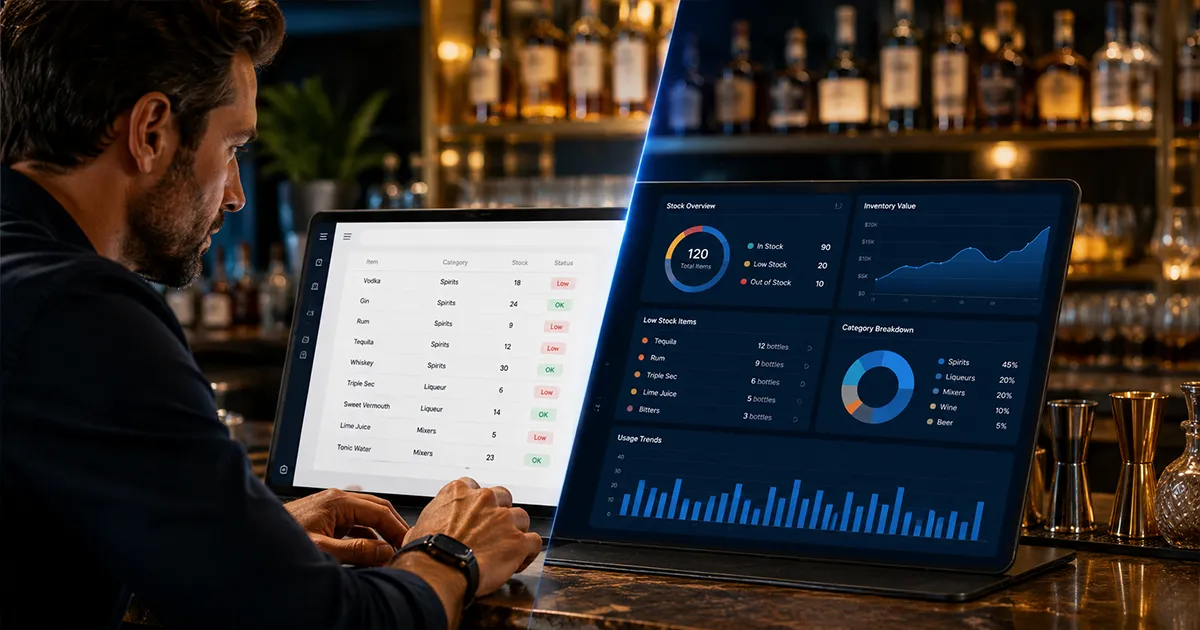
Searching for the best free liquor inventory app usually means one of two things. Either you are tired of counting bottles on paper, or you know your current system is leaking money and you want a better way to track liquor, beer, wine, and stocktaking without adding another monthly bill. That is reasonable. Inventory software should earn its place behind the bar. But "free" can mean a lot of different things in this category: free spreadsheet, free ordering tool, free trial, limited free plan, or a consumer app that was never built for a working bar. If you decide a paid tool is worth it, compare the full field in our best bar inventory management software guide.
The real question is not whether a free tool can help. Many can. The question is whether it can answer the question that actually affects your profit: did the product you used match what your POS says you sold? If the answer is no, the tool may make counting easier while still leaving shrinkage, over-pouring, theft, and unrecorded waste hidden in plain sight.
Free tools can help a team build the habit, but they still need trustworthy sales and purchase context. Cost of goods sold depends on beginning inventory, purchases, and ending inventory; the IRS explains the inventory recordkeeping basis in Publication 334. A free app that only records a final bottle count is missing the other records that make the number useful.
What a Free Bar Inventory App Usually Does Well
A good free bar inventory app or template can absolutely improve a messy process. If your team is still using handwritten sheets, a basic digital tool gives you cleaner item lists, faster counts, and fewer lost pages. That alone is a step forward. When free stops being enough, the full comparison of paid bar inventory tools covers what you get for the money.
- ▸Build a basic list of liquor, beer, wine, mixers, and supplies.
- ▸Record bottle counts from a phone, tablet, or spreadsheet.
- ▸Track par levels so you know what needs to be reordered.
- ▸Calculate rough inventory value at cost.
- ▸Give managers one place to review counts instead of chasing paper sheets.
For a small bar with a short bottle list, that may be enough at the beginning. A free app is also useful when you are proving whether your team will actually count consistently before you invest in a full system.
Best Free Liquor Inventory App Fit by Bar Type
There is no single best free liquor inventory app for every bar because "inventory" can mean a quick bottle count, a weekly stocktake, a purchase log, a recipe-costing sheet, or a full expected-versus-actual variance process. A neighborhood beer-and-shot bar, a cocktail program, a wine bar, and a multi-location group are hiring the tool for different jobs.
| Bar type | Free option that usually fits | Watch the limitation |
|---|---|---|
| Small neighborhood bar | Free spreadsheet or simple counting app | Works until purchases, partial bottles, and multiple managers make the sheet messy |
| Cocktail bar | Spreadsheet with recipe-costing columns | Needs recipe depletion before POS sales can explain ingredient usage |
| Pub or club | Stocktaking app or shelf-order template | A stocktake alone cannot separate sales from ullage, waste, comps, or theft |
| Wine bar | Bottle and by-the-glass count template | Partial bottles and glass pours need consistent units or the numbers drift |
| Multi-location group | Paid system after a short free trial | Location transfers, manager permissions, and consolidated variance are hard to run free |
That fit question matters more than the logo on the app. If the bar needs only a cleaner count, a free liquor inventory app can be enough. If the bar needs to know why a bottle is short, the tool needs sales, recipes, purchases, and waste records in the same operating rhythm.
Where Free Inventory Apps Usually Stop
The problem is that counting inventory and controlling inventory are not the same thing. A count tells you what is on the shelf. Control comes from comparing that count against purchases, recipes, and sales. Without that comparison, you can see that product moved, but you cannot tell whether it moved because you sold it, spilled it, gave it away, over-poured it, or lost it.
- ▸No POS sales comparison, which means no expected-vs-actual usage.
- ▸No recipe-level depletion, so cocktails do not translate into ingredient usage.
- ▸No shift-level variance review, which makes theft and over-pouring patterns harder to isolate.
- ▸Limited invoice or purchase matching, which causes false variance spikes.
- ▸No dollar-impact sorting, so managers waste time investigating small discrepancies first.
That is the line most bars eventually run into. The free tool helped them count. It did not help them explain why the count was wrong.
Free Liquor Inventory App Search Terms Can Mean Different Things
The search results for free liquor inventory app, free bar inventory app, alcohol inventory app, and home bar inventory app overlap, but the intent is not identical. A commercial bar owner usually needs staff-friendly counts, purchase records, POS sales context, and variance reporting. A home user usually wants to know what bottles are available and which cocktails they can make. The same app rarely serves both jobs well.
- ▸Liquor inventory app free: usually commercial intent, with a focus on bottle counts and cost control.
- ▸Free bar inventory app: broader bar operations intent, often including beer, wine, mixers, and stocktaking.
- ▸Alcohol inventory app: mixed commercial and home use intent, so check whether POS and purchases are supported.
- ▸Home bar inventory app: personal collection intent, useful for hobbyists but rarely enough for staff accountability.
- ▸Bar inventory software free: often means free trial, limited free plan, or spreadsheet template rather than full software at no cost.
Before choosing a tool, match the search term to your actual workflow. If staff members will count partial bottles after close, enter deliveries, reconcile purchases, and investigate short products, you are choosing an operating system, not just a bottle list.
The Free Bar Inventory Tools You Will See in Search Results
Most "free bar inventory app" results fall into a few buckets. They are not all trying to solve the same problem, which is why comparing them only by price gets messy fast. A free ordering app, a free counting app, and a spreadsheet template can all be useful, but they fit different stages of the inventory workflow.
Free Ordering and Distributor Apps
Tools in this category are usually built around ordering. They help you organize products, set par levels, build order lists, and communicate with distributors. That is valuable if your main problem is running out of product or keeping vendor orders organized. The limitation is that ordering data alone does not tell you whether last week's missing tequila was sold, spilled, comped, over-poured, or stolen.
Free Counting Apps
Counting apps focus on making inventory faster. They may support multiple devices, barcode lookup, shelf-order lists, and cloud syncing. That is a big improvement over paper. But if the app does not pull POS sales and recipes into the same workflow, it still stops at "what changed?" instead of answering "why did it change?"
Free Spreadsheets and Templates
Spreadsheet templates are flexible and easy to start with. You can add bottle sizes, unit costs, par levels, vendors, and count columns in one place. The weakness is that spreadsheets depend on discipline. Someone has to keep item names clean, enter purchases, copy POS exports, maintain formulas, and avoid version-control chaos when multiple managers touch the file.
Home Bar Inventory Apps
Some results are really built for home collectors and cocktail hobbyists. They can be excellent for tracking bottles, recipes, and what drinks you can make. A working bar has a different problem: staff, shifts, invoices, vendors, POS sales, partial bottles, comps, discounts, and financial variance. A home bar app is not built to tell an owner why margin disappeared last weekend.
Free App vs Spreadsheet vs Paid Bar Inventory Software
Here is the cleanest way to think about the difference: free apps usually help with counting or ordering, spreadsheets help with flexible recordkeeping, and paid bar inventory software should connect inventory to revenue. If a paid tool does not make that connection, it is just a nicer spreadsheet.
Free Bar Inventory Apps
Free apps are best when your main pain is speed. They can make counts easier, organize your product list, and help you avoid paper. Some are built around ordering, some around bottle counts, and some around general inventory. They are strongest for simple operations that need a better checklist, not deep loss detection.
Free Bar Inventory Spreadsheets
A spreadsheet is still the most flexible free option. You can customize columns, add formulas, and keep full control over the structure. BarGuard offers a free bar inventory spreadsheet template for exactly this reason: it is a useful starting point. The tradeoff is maintenance. Every formula, item name, purchase entry, and count process depends on the person managing the file.
Paid Bar Inventory Software
Paid software should do more than digitize the count. It should connect the operational pieces: inventory counts, purchases, recipes, POS sales, staff activity, and variance reports. If it only replaces a spreadsheet with a prettier screen, it is not solving the expensive problem. A real bar inventory software system earns its cost by showing where product is disappearing and what that loss is worth.
Quick Comparison: What Each Option Is Best For
- ▸Free ordering app: best for vendor ordering, par levels, distributor communication, and keeping replenishment organized.
- ▸Free counting app: best for replacing paper counts, speeding up bottle checks, and standardizing item lists across managers.
- ▸Spreadsheet template: best for bars that want a free, customizable starting point and do not mind maintaining formulas manually.
- ▸Home bar app: best for personal bottle collections, cocktail discovery, and recipe organization, not commercial variance control.
- ▸Paid loss-detection software: best for connecting counts to POS sales, recipes, purchases, and shift-level variance so missing product has a financial explanation.
That distinction matters because a bar owner searching for a free inventory app is often trying to solve two problems at once: count faster and lose less money. The first problem can be solved cheaply. The second problem usually requires connected data.
When a Free Bar Inventory App Is Enough
A free app can be the right choice if your bar is small, your inventory list is short, and your main goal is to stop using paper. It is also a reasonable first step if you do not have recipes mapped yet or your POS data is not clean enough for variance tracking.
- ▸You have one bar station and a simple bottle list.
- ▸You mainly need par levels and ordering reminders.
- ▸Your team is still learning to count consistently.
- ▸You are not ready to map cocktails to ingredients.
- ▸You want a temporary workflow before moving to a full system.
In that stage, the goal is habit formation. Count every week. Keep purchases current. Make sure item names are clean. If the free tool helps your team build that rhythm, it is doing its job.
When Free Starts Costing More Than It Saves
Free becomes expensive when the tool saves a subscription fee but leaves loss untouched. If your bar is losing hundreds or thousands of dollars a month to shrinkage, the cost of not seeing the problem is bigger than the cost of software.
- ▸Your pour cost is higher than your recipes say it should be.
- ▸You count regularly but still cannot explain missing product.
- ▸Managers spend hours reconciling spreadsheets after every count.
- ▸You suspect over-pouring or theft but cannot prove where it happens.
- ▸Purchases, counts, and POS sales live in separate systems.
- ▸Your top-selling spirits are always short, but the reason is unclear.
Those are signs you do not just need a count. You need bar inventory variance reporting, the expected-versus-actual comparison that shows whether your usage lines up with sales.
The Hidden Cost of a Free Tool
The hidden cost of a free bar inventory app is not the software. It is the manual work around the software. If a manager spends two extra hours every week exporting sales, entering purchases, cleaning up item names, and hunting down spreadsheet mistakes, that time has a cost. If the system still misses a $600 variance pattern on well vodka, that missed signal has a cost too.
A free tool can be a smart starting point, but it should not become an excuse to avoid measuring loss. Once your bar has meaningful volume, the value is not in having a count. The value is in turning the count into decisions: which items are short, which shifts are driving variance, whether purchases were entered correctly, and whether your recipes match how drinks are actually being poured.
The Features That Matter Most in a Bar Inventory App
If you are comparing free and paid tools, ignore the feature lists for a minute and ask what decisions the system helps you make. A useful bar inventory app should help you answer five questions quickly.
- 1What do we have on hand right now?
- 2What did we buy since the last count?
- 3What should we have used based on POS sales and recipes?
- 4What did we actually use based on the count?
- 5Which items lost the most money, and which shift or pattern explains it?
The first two questions are inventory administration. The last three are profit control. Free tools often handle the first two. Bar owners start looking for something stronger when the last three become the reason they are counting in the first place.
A Bar Owner's Checklist Before Choosing a Free App
Before you sign up for any free bar inventory app, run it through the same practical checklist you would use for any operational system. The right answer depends less on features and more on whether your team will use it correctly every week.
- 1Can the item list be organized in the same order as your shelves, coolers, and storage rooms?
- 2Can more than one manager count without creating duplicate files or conflicting versions?
- 3Can you record full bottles, partial bottles, cases, kegs, wine, mixers, and food items cleanly?
- 4Can purchases or invoices be entered before variance is reviewed?
- 5Can the system connect to your POS, or will sales data still require manual export?
- 6Can you map menu items and recipes so cocktail sales become ingredient usage?
- 7Can reports sort by dollar loss, not just units or percentage?
- 8Can you review trends by week, shift, item, and category?
If the answer is no to the first three, the tool may not even solve counting. If the answer is no to the POS, recipe, and reporting questions, the tool may help operations but will not solve shrinkage. That does not make it bad. It just means you should be clear about what job you are hiring it to do.
A Simple Upgrade Path That Does Not Waste Time
The smartest path is not jumping straight into the most complex software. It is building the inventory control system in layers. Start by cleaning your item list and standardizing counts. Then add purchase tracking. Then add recipe mapping for your top-selling drinks. Then compare expected usage to actual usage every week. Each layer makes the next one more valuable.
- ▸Stage 1: Use a free spreadsheet or app to build the weekly counting habit.
- ▸Stage 2: Add purchase entry so counts reflect what actually came in the door.
- ▸Stage 3: Map your highest-volume cocktails and draft items to ingredients.
- ▸Stage 4: Connect POS sales so expected usage is based on real transactions.
- ▸Stage 5: Review variance by item, category, and shift while the week is still fresh.
Most bars stall between stages two and three. They count and enter purchases, but they never connect sales and recipes. That is where loss stays invisible. A bottle is short, but no one knows whether it is because margaritas sold well, bartenders poured heavy, a purchase was missed, or product walked out.
If You Call It Stocktaking, Not Inventory
Bars and clubs outside the US tend to call this stocktaking rather than inventory. The vocabulary changes, the gap does not. A free stocktaking app records what is on the shelf at the end of the week. What it will not tell you is whether the difference between two stocktakes is explained by sales, by waste you logged, or by product that walked out without being rung up.
If you run a pub or a club and want the counting method itself rather than a tool comparison, the liquor stocktake guide walks through a full count. Ullage reporting covers the spillage and wastage side, which is the part most free apps leave out entirely and the reason two honest stocktakes can still disagree. If what you actually want is the tool, the bar inventory and stocktaking app is the paid side of this comparison.
How BarGuard Fits This Search
BarGuard is not a free-forever inventory app. It is a paid loss-detection system with a free trial. That distinction matters, and it is better to be honest about it. If all you need is a simple bottle checklist, start with a free app or spreadsheet. But if you are trying to find out why inventory is disappearing, you need the POS comparison layer.
BarGuard connects to POS systems like Toast, Square, Clover, and Focus POS, pulls sales data, matches recipes to ingredients, and compares theoretical usage against actual counts. That is how it catches over-pouring, shrinkage, missing purchases, and suspicious variance before they turn into another bad month.
The practical path is simple: start free if you are just organizing counts. Upgrade when the question changes from "what do we have?" to "where did the missing product go?" That is the question a purpose-built bar inventory app should answer, and the point at which a free tool stops being the cheaper option. BarGuard pricing starts at $129 a month for Essential.
Frequently Asked Questions
Is there a truly free liquor inventory app for bars?
Yes, there are free tools that help with counts, ordering, and basic liquor inventory organization. The important question is what free includes. Some tools are free because they support distributor ordering. Some are free with limited reporting. Some are free trials. Before choosing one, confirm whether it handles the workflow you need: counts, purchases, recipes, POS sales, and variance.
Can I run bar inventory with just a spreadsheet?
Yes, especially at the beginning. A spreadsheet can track counts, costs, par levels, and purchases. The challenge is keeping it accurate as the bar gets busier. Once you need POS-based expected usage, recipe depletion, and variance reporting, the spreadsheet becomes harder to maintain and easier to break.
What is the biggest feature free apps usually miss?
The biggest gap is expected-vs-actual usage. Without POS sales and recipe mapping, the app can tell you what you counted but not whether that count makes sense based on what you sold. That is the difference between inventory tracking and inventory loss detection.
What is the difference between a free liquor inventory app and a home bar app?
A free liquor inventory app for a working bar needs staff counts, purchases, vendors, POS sales context, and loss review. A home bar app is usually built for personal bottle tracking and cocktail ideas. It can be useful for a collection, but it is not designed to explain commercial variance.
The Bottom Line
The best free bar inventory app is the one your team will actually use consistently. But consistency is only the first step. Once you have reliable counts, the next job is comparing those counts to purchases and POS sales so you can catch variance while the week is still fresh.
If you are still early, download the free bar inventory spreadsheet and build the habit. If you are already counting and still losing product, the free tier has stopped being the cheap option: see how BarGuard works, check what it costs, and run your next count with variance tracking instead of guesswork.
BarGuard Catches What You Can't See
Connect your POS, count your inventory, and let BarGuard show you exactly where the gaps are, automatically, every week.