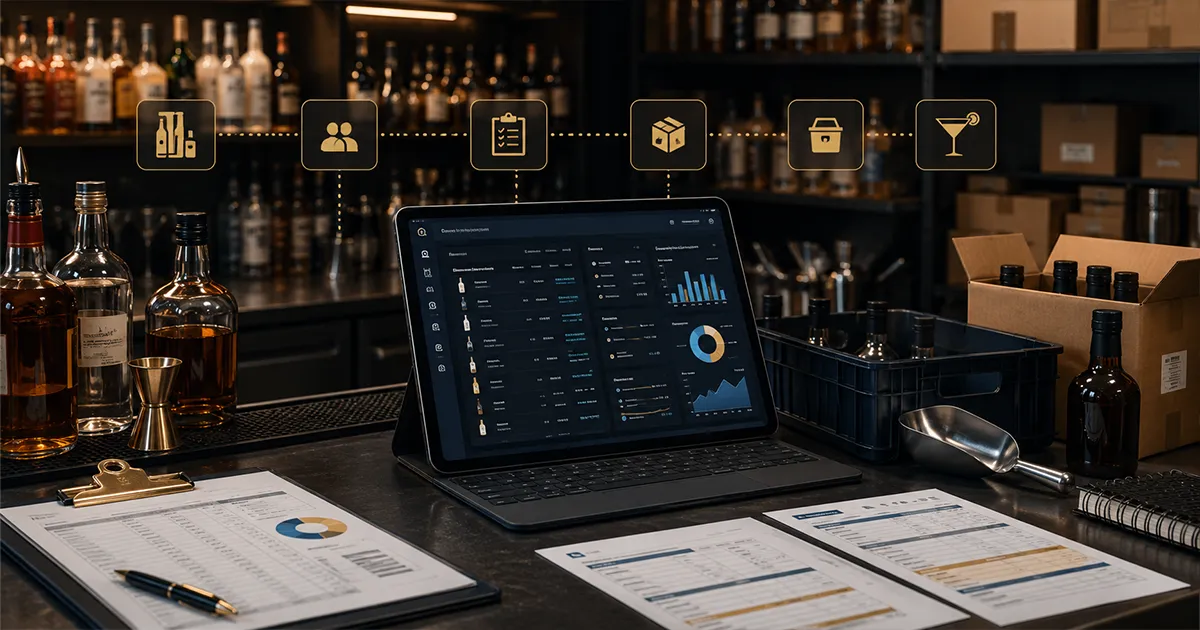
A bar inventory system setup is not just a list of bottles. It is the structure that tells your team what each item is, where it comes from, how it is received, how it gets used in recipes, how waste is recorded, and how inventory counts turn into variance reports. When that structure is clean, managers can trust the numbers. When it is messy, every count turns into a debate.
Most bars do not lose control because one person forgot to count a bottle. They lose control because the system underneath the count is weak. Tito's Vodka appears three different ways. Vendor prices change but recipes never update. Purchase orders live in texts. Deliveries get stored before they are checked. Waste is written down as "spill" with no item or quantity. Cocktail recipes exist in someone's head instead of the inventory system. By the time the owner looks at liquor cost, the data is already too noisy to explain what happened.
This guide breaks down the six records every bar inventory system needs: items, vendors, purchase orders, receiving, waste, and cocktail recipes. Then it shows how those records connect to counts, expected usage, variance, and profit. The goal is not admin for its own sake. The goal is a system that helps the bar stop inventory chaos before it becomes lost margin. Those six records are the foundation the wider bar inventory management process runs on.
Bar Inventory System Entities at a Glance
The core bar inventory system entities are items, vendors, purchase orders, receiving records, waste logs, and cocktail recipes. Counts and variance reports sit on top of those records. If the entities are clean, a manager can follow product from vendor order to delivery, shelf count, recipe usage, waste event, and variance review without rebuilding the story by hand.
For searchers comparing bar inventory data models, the practical answer is simple: items, vendors, purchase orders, receiving, waste, and cocktail recipes are the six records to define first. Once those are clean, counts, par levels, reorder points, COGS, and variance reports become much easier to trust.
| Entity | What it controls | Why it matters |
|---|---|---|
| Items | Product names, sizes, units, categories, costs, and storage locations | Prevents duplicate bottles, mixed units, and noisy count sheets |
| Vendors | Supplier contacts, delivery days, terms, item assignments, and price changes | Keeps ordering and recipe costs from depending on memory |
| Purchase orders | What the bar planned to buy, from whom, at what quantity and cost | Creates the expected delivery record before product arrives |
| Receiving | What actually arrived, including shorts, credits, substitutions, and invoice details | Stops delivery errors from turning into fake shrinkage |
| Waste logs | Spills, breakage, remakes, comps, expired product, draft foam, and adjustments | Explains legitimate product movement without revenue |
| Cocktail recipes | Ingredient quantities, units, yields, modifiers, garnish, and current costs | Turns POS sales into expected inventory usage |
The operating pressure is real. The National Restaurant Association's State of the Restaurant Industry research continues to point to cost pressure across restaurants and bars. When product costs, labor, rent, and insurance are tight, inventory setup cannot be casual. Small recordkeeping problems become margin problems fast.
What Is a Bar Inventory System?
A bar inventory system is the operating structure used to track beverage products from purchase to sale, waste, count, and variance review. It should answer six basic questions: what do we stock, who sells it to us, what did we order, what did we receive, what left inventory without a sale, and what should have been used based on recipes and POS sales?
That means a bar inventory system is broader than a count sheet. A count sheet only captures what is physically on hand at a moment in time. A true system connects the count to purchasing, receiving, recipe costing, waste, comps, transfers, expected usage, and variance. Without those connections, the count may be neat but still useless for explaining loss.
Think of the system as a chain. Item records are the foundation. Vendors and purchase orders explain what should arrive. Receiving confirms what actually arrived. Waste logs explain legitimate product movement that did not produce revenue. Recipes translate POS sales into expected usage. Inventory counts tell you what is left. Variance reports compare expected usage against actual usage. If one link is weak, the report becomes harder to trust.
Items, Vendors, Purchase Orders, Receiving, Waste, and Cocktail Recipes
The easiest way to audit a bar inventory system is to ask whether each entity has a clear owner, required fields, and a downstream report it supports. Items feed counts and recipes. Vendors feed purchasing and cost updates. Purchase orders feed receiving checks. Receiving feeds COGS and invoice review. Waste feeds variance explanations. Cocktail recipes feed expected usage and menu margin.
| Entity | Minimum fields | Report it improves |
|---|---|---|
| Items | Name, category, size, count unit, recipe unit, location, active status | Count sheets, COGS, variance by product |
| Vendors | Supplier, rep, delivery day, cutoff, terms, assigned items, latest costs | Purchasing, price-change review, recipe cost updates |
| Purchase orders | Vendor, item, quantity, expected cost, order date, delivery date, approver | Open orders, par replenishment, cash control |
| Receiving | Invoice, item, quantity, actual cost, shorts, credits, substitutions, receiver | COGS, invoice matching, receiving exceptions |
| Waste | Item, quantity, reason, shift, employee or manager, approval, notes | Waste dollars, explained variance, coaching priorities |
| Cocktail recipes | Ingredients, units, yield, modifier rules, garnish, current cost, POS mapping | Expected usage, pour cost, menu profitability |
This entity-first view also prevents software shopping from getting vague. A tool that only counts bottles may be enough for a simple count habit, but it is not a full bar inventory system unless it connects those records to purchasing, receiving, recipe costing, waste logging, and variance review. For the broader platform comparison, see the best bar inventory management software guide.
Why Setup Matters More Than the Count Sheet
A bar can count inventory every week and still have bad numbers if the setup is wrong. Duplicate items, missing bottle sizes, stale vendor costs, unentered deliveries, vague waste logs, and outdated recipes all create fake variance. Managers then waste time chasing problems that came from bad setup instead of real product loss.
This is why the bar inventory management process should start before count night. The manager should know which items are active, where they are stored, how partial bottles are estimated, which purchases are included in the period, and which recipes are tied to sales. If those basics are not clear, inventory turns into a cleanup project instead of a profit-control workflow.
Record 1: Item Records
The item record is the most important record in the system. Every bottle, keg, wine, mixer, syrup, juice, garnish, and non-alcohol product that affects beverage cost should have one clean item record. Not two. Not three. One.
Duplicate item names are one of the fastest ways to make inventory reports useless. If one manager receives "Titos 1L," another counts "Tito's Vodka," and a recipe uses "Titos," the system may treat them as separate products. The bar appears to have weird usage, missing purchases, or unexplained variance when the real issue is naming.
- ▸Product name: use a consistent, readable name that matches how managers search.
- ▸Category: liquor, beer, wine, mixer, garnish, food, paper, or another reporting group.
- ▸Bottle or pack size: 750 ml, 1 L, 1.75 L, sixth barrel, half barrel, case, each, or ounce.
- ▸Inventory unit: the unit managers count on the shelf.
- ▸Recipe unit: the unit recipes consume, usually ounces for spirits and cocktails.
- ▸Default vendor: the supplier normally used for the item.
- ▸Current unit cost: the latest cost used for recipe costing and margin review.
- ▸Storage location: well, back bar, liquor room, cooler, keg room, kitchen, or overflow.
A good item record also tells the team whether the product is active, seasonal, discontinued, or special order. If inactive products stay in the active count list, managers waste time counting dead stock. If seasonal products are not labeled, they can keep triggering reorder suggestions after the menu changes.
Record 2: Vendor Records
Vendor records keep purchasing from depending on one manager's memory. A bar may buy liquor from one distributor, beer from another, wine from reps, emergency items from a local store, and produce from a food supplier. If those relationships are not organized, ordering becomes fragile.
Each vendor record should include the vendor name, rep contact, order cutoff time, delivery days, minimum order requirements, payment terms, invoice format, product assignments, and any notes that matter for receiving. This helps the bar avoid missed orders, late deliveries, duplicate purchases, and confusion when a manager is out.
Vendor setup also protects recipe costs. If bottle prices change and the system never updates item costs, the menu may look profitable on paper while margins quietly shrink. The cocktail recipe costing workflow depends on current vendor costs, not the price a bottle had six months ago.
Record 3: Purchase Orders
Purchase orders are the plan. They show what the bar intended to buy before the delivery arrived. Even if a small bar does not send formal purchase orders to every vendor, the system should still capture the order decision: vendor, item, quantity, expected cost, order date, expected delivery date, and the manager who placed the order.
This matters because ordering is where cash control starts. If managers order from habit, slow-moving bottles pile up while fast movers still run short. If orders are not tied to par levels and real usage, the bar can look stocked while cash is trapped on the shelf. For ordering logic, the bar par levels guide explains how usage, vendor lead time, and safety stock should shape reorder points.
- ▸Order date and expected delivery date.
- ▸Vendor and location.
- ▸Item, pack size, and quantity ordered.
- ▸Expected unit cost and total cost.
- ▸Reason for order: par replenishment, event, menu change, emergency, or special order.
- ▸Manager approval for unusual or high-dollar orders.
Purchase orders do not need to be complicated. They need to be consistent. The point is to create a record that can be compared against receiving. If the order says two cases arrived but receiving shows one case and a substitution, the system can catch the difference before variance gets blamed on bartenders.
Record 4: Receiving Records
Receiving is where many inventory systems break. A delivery arrives during prep, the driver is waiting, the bar is busy, and a manager signs the invoice before checking the details. The product gets stored, the invoice gets set aside, and the count later shows strange usage. That is not a shrinkage mystery. It is a receiving problem.
A receiving record should confirm what actually arrived: item, size, quantity, unit cost, credits, short ships, damaged items, substitutions, invoice number, delivery date, and the person who checked it in. If a vendor substitutes a 1 L bottle for a 750 ml bottle and the system records the wrong size, recipe costs and inventory depletion will be wrong.
Food safety and receiving discipline also matter for restaurants and bars. The FDA maintains the Food Code, which is a useful primary reference for food safety concepts around receiving, storage, and handling. Bar inventory software does not replace food safety procedures, but clean receiving records help managers know what entered the building and when.
- 1Check the delivery against the purchase order before storage.
- 2Confirm item, size, pack, quantity, and condition.
- 3Record substitutions as the product actually received.
- 4Enter credits, shorts, returns, and damaged goods immediately.
- 5Attach or scan the invoice before the count period closes.
- 6Keep receiving cutoffs clear before inventory counts begin.
The receiving cutoff is especially important. If a delivery arrives during the count, managers need a rule. Either freeze receiving until the count is done or clearly mark the delivery as after-count inventory. Otherwise, the beginning or ending count can include product that the purchase records do not include, and variance will look worse than reality.
Record 5: Waste Logs
Waste records explain product that leaves inventory without becoming a normal sale. That includes spills, breakage, bad batches, remakes, training pours, approved comps, tasting pours, draft foam loss, expired ingredients, and manager-approved adjustments. Without a clean waste log, legitimate loss shows up as unexplained variance.
The bar waste log should be simple enough to use during service and detailed enough to review later. A note that says "broken bottle" is better than nothing, but it still needs the item, quantity, reason, date, shift, employee or manager, and whether the entry should explain variance.
- ▸Item name tied to the same item record used for counts and purchases.
- ▸Quantity and unit, such as ounces, bottle fraction, each, keg amount, or batch size.
- ▸Reason code: spill, breakage, remake, comp, expired, training, draft foam, or adjustment.
- ▸Shift, station, date, and person entering the waste.
- ▸Manager approval for high-cost products or unusual patterns.
- ▸Cost impact so the team reviews waste by dollars, not just count of entries.
Waste logs protect staff as much as owners. If a bottle breaks and the bartender records it correctly, the variance report has context. If the bottle is short and no waste was logged, managers are left guessing. Clean records keep follow-up grounded in facts.
Record 6: Cocktail Recipes
Recipes turn sales into expected usage. If the POS says the bar sold 100 margaritas, the system needs to know how much tequila, triple sec, lime, syrup, salt, and garnish those margaritas should have used. Without recipes, the inventory system cannot tell whether usage matched sales.
Each cocktail recipe should include ingredient, quantity, unit, yield, modifiers, garnish, batch details, and whether the recipe changes for happy hour, doubles, rocks pours, premium substitutions, or event menus. A recipe that ignores modifiers will understate expected usage and make normal sales look like over-pouring.
Recipes also need current costs. If the bottle cost changes, the recipe cost changes. If garnish cost changes, margin changes. If the build changes but the system does not, expected usage becomes wrong. That is why recipe review belongs inside the inventory system, not in a separate binder that nobody updates.
How the Six Records Connect to Variance
The six records are useful because they feed the variance report. Variance is the difference between expected usage and actual usage. Expected usage comes from POS sales and recipes. Actual usage comes from beginning inventory, purchases received, transfers, waste adjustments, and ending inventory. The difference tells the manager what needs attention. Once these records are clean, they become the backbone of a repeatable bar stock control system.
This is where bar inventory variance becomes practical. The report should not just say a category is off. It should show which item is off, how far it is off, what the dollar impact is, and whether waste, receiving, recipes, or purchases explain the gap.
- 1Item records define what is being measured.
- 2Vendor and purchase records show what should arrive.
- 3Receiving records show what actually arrived.
- 4Waste records explain approved product movement without revenue.
- 5Recipes convert sales into expected usage.
- 6Counts show what remains after the period closes.
- 7Variance reports compare the whole story and rank the gaps.
Common Setup Mistakes
Most setup mistakes are small, but they compound. A single duplicate product can confuse purchases, counts, recipes, and variance. A missing vendor cost can make recipe margin look better than it is. An unentered invoice can make the system accuse the bar of using product that simply arrived without being recorded.
- ▸Creating duplicate item records for the same product.
- ▸Mixing bottle sizes under one item name.
- ▸Counting in one unit while recipes consume another unit.
- ▸Letting vendor prices drift without updating recipe costs.
- ▸Receiving deliveries after the count without marking the cutoff.
- ▸Recording waste without item, quantity, reason, or shift.
- ▸Leaving inactive products in the active count list.
- ▸Using recipes that do not match how bartenders actually build drinks.
These mistakes create false signals. A manager may think there is theft when the real issue is an invoice that never got entered. The owner may think bartenders are over-pouring when the real issue is a recipe that uses the wrong pour size. Clean setup prevents the team from solving the wrong problem.
A Practical Setup Sequence
The safest way to set up a bar inventory system is to build it in the order the operation actually works. Do not start with dashboards. Start with the records that make the dashboards true.
- 1Clean the item list and remove duplicates.
- 2Add bottle sizes, pack sizes, count units, recipe units, categories, and storage locations.
- 3Assign default vendors and current unit costs to every active item.
- 4Build reorder points and par levels from real usage where possible.
- 5Create receiving rules before the next delivery.
- 6Set up waste reason codes and manager approval rules.
- 7Enter cocktail recipes and map modifiers, doubles, and substitutions.
- 8Run a count, confirm purchases, and review the first variance report.
That first variance report will probably be messy. That is normal. The first report often exposes setup issues more than operating issues. Use it to clean item names, fix recipes, correct units, enter missing purchases, and train managers on the review process. The second and third reports are where the system starts becoming a real control tool.
What to Review Every Week
Once the system is set up, the weekly review should be short and disciplined. The owner or manager does not need to inspect every row every week. They need to review the records most likely to affect profit.
- ▸New items created during the week.
- ▸Vendor price changes and substitutions.
- ▸Open purchase orders and unmatched invoices.
- ▸Receiving exceptions, credits, shorts, and damaged goods.
- ▸Waste dollars by item, reason, and shift.
- ▸Recipes changed or added to the menu.
- ▸Top variance items by dollar impact.
- ▸Products below reorder point or above healthy par.
The IRS small business recordkeeping guidance is a useful reminder that business records should support income, expenses, and operating decisions. For a bar, inventory records support more than tax time. They support pricing, purchasing, shrinkage review, and day-to-day profit control.
Spreadsheet vs Bar Inventory Software
A spreadsheet can work for a small bar that has a disciplined manager, a short item list, stable vendor pricing, and simple recipes. The problem is maintenance. Someone has to protect formulas, update item costs, enter purchases, track receiving, manage waste, and keep versions clean. As the bar grows, the spreadsheet becomes easier to break and harder to trust.
Bar inventory software becomes useful when the bar needs the records to connect automatically. Counts should connect to purchases. Purchases should update costs. Costs should feed recipes. Recipes should connect to sales. Waste should explain variance. Variance should show the products and dollars that need action.
The buying question is not whether software looks cleaner than a sheet. The question is whether the system helps the bar prove what happened. If last week's tequila is short, can the manager see whether the cause is receiving, recipe setup, over-pouring, waste, comps, theft, or a bad count? If the answer is no, the system is not doing enough.
How BarGuard Handles Inventory System Setup
BarGuard is built around the records that make inventory trustworthy: items, vendors, purchases, receiving, recipes, waste, counts, and variance. The goal is to keep the operational data in one workflow so managers are not piecing together the truth from a POS export, invoice stack, spreadsheet, group text, and memory.
With BarGuard, the setup supports the weekly review. Item records give the system a clean product list. Vendor and purchase tracking help managers understand what came in and what it cost. Recipe costing connects menu sales to expected usage. Waste logs explain legitimate product movement. Variance reports show where actual usage does not match what should have happened.
That is the difference between tracking inventory and controlling inventory. Tracking tells you what is on the shelf. Control tells you what changed, why it changed, and what to do next.
Frequently Asked Questions
What are the core bar inventory system entities?
The core entities are items, vendors, purchase orders, receiving records, waste logs, and cocktail recipes. Counts, par levels, COGS, and variance reports depend on those records being clean.
Why do purchase orders and receiving need separate records?
Purchase orders show what the bar expected to buy. Receiving records show what actually arrived, including shorts, credits, substitutions, damaged goods, and invoice details.
How do cocktail recipes affect inventory variance?
Recipes translate POS sales into expected ingredient usage. If recipes are missing or outdated, normal sales can look like over-pouring, shrinkage, or bad counts.
Can a spreadsheet handle these inventory entities?
A spreadsheet can work for a small, disciplined bar, but it becomes fragile as vendor costs, recipes, purchases, waste, and multi-user receiving workflows grow.
The Bottom Line
A strong bar inventory system setup starts with six records: items, vendors, purchase orders, receiving, waste, and cocktail recipes. Those records are not paperwork. They are the source of truth behind counts, costs, reorder decisions, variance reports, and profit control.
If your inventory numbers feel chaotic, do not start by blaming the count. Start by checking the setup. Clean item records, current vendor costs, clear purchase orders, disciplined receiving, useful waste logs, and accurate recipes will make every count more valuable. Once the system is clean, variance becomes easier to read, ordering becomes easier to trust, and loss becomes much harder to hide.
BarGuard Catches What You Can't See
Connect your POS, count your inventory, and let BarGuard show you exactly where the gaps are, automatically, every week.