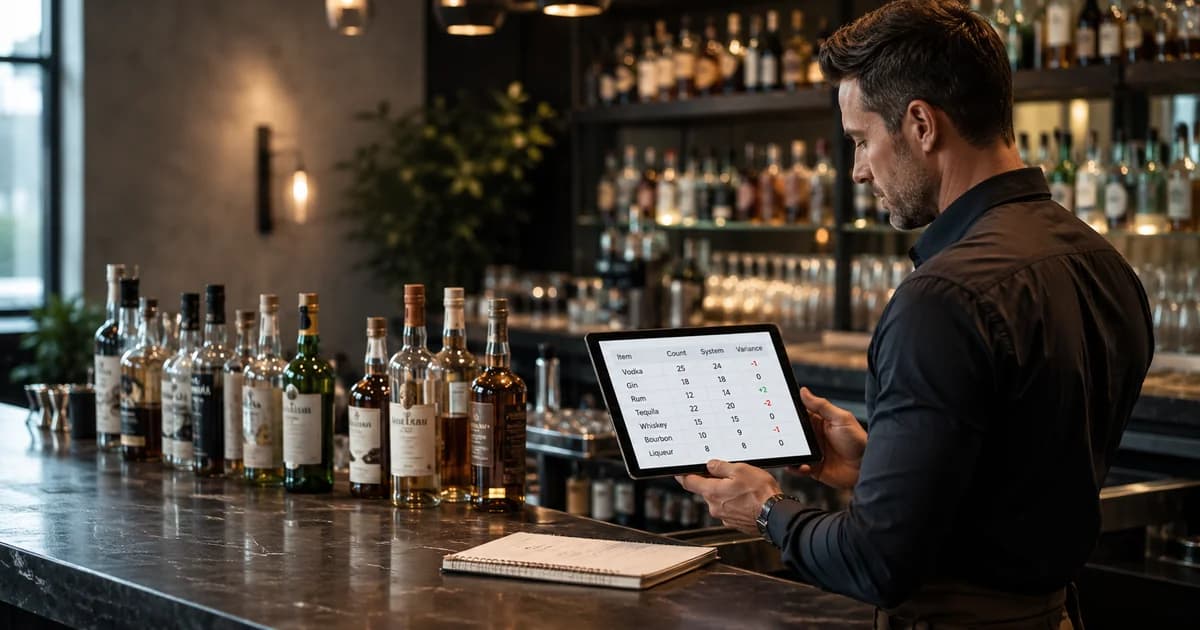
A bar inventory database schema is the operating model behind every reliable count, purchase order, receiving record, recipe, waste log, and variance report. If the data model is loose, the bar can still look organized on the surface while the numbers underneath disagree. Counts do not tie to purchases. Vendor invoices do not match receiving. Recipes cannot explain theoretical usage. Waste logs sit outside the inventory period. The result is a reporting system that creates arguments instead of answers.
This guide lays out a practical bar inventory database schema for owners, operators, consultants, and software teams who need to understand what records a bar inventory system actually has to track. It is not a generic software architecture article. It is a bar-specific data model: items, vendors, purchase orders, receiving lines, counts, recipes, POS sales, waste, breakage, shifts, locations, par levels, and variance. The goal is simple: every bottle, keg, case, modifier, and recipe ingredient should have a clean path from purchase to shelf to sale to reconciliation.
If you are building the workflow from scratch, start with bar inventory system setup and purchase orders and receiving. If you already have counts and sales data but cannot explain the differences, pair this schema with inventory reconciliation and bar inventory variance. The database structure below is the connective tissue between those workflows.
Start With the Inventory Item Table
The inventory item table is the center of the schema because every other record points back to it. An item is anything the bar needs to count, purchase, consume, sell indirectly through recipes, or reconcile. That includes liquor bottles, wine bottles, draft kegs, bottled beer, canned beer, mixers, syrups, juices, garnishes, food items, and any other product that affects beverage cost.
A weak item table is the fastest way to break the system. If the same product appears under three names, purchases will not match counts and recipes will not match sales. If bottle size is missing, the system cannot calculate ounces. If the count unit is vague, two managers can count the same shelf differently. Normalize the item record first, then build the rest of the workflow around it.
| Field | Purpose | Example |
|---|---|---|
| item_id | Stable internal identifier used by every related table | itm_12345 |
| item_name | Human-readable product name | Tito's Vodka 1L |
| category | Reporting category for beverage cost and variance | Spirits |
| subcategory | More specific grouping for analysis | Vodka |
| container_size | Bottle, keg, case, or package size | 1 liter |
| base_unit | Unit used for depletion math | ounce |
| count_unit | How staff count the item physically | bottle tenth |
| active_status | Whether the item is still used | active |
| default_vendor_id | Preferred vendor for ordering | vendor_28 |
| par_level | Target on-hand quantity for normal service | 6 bottles |
| reorder_point | Quantity that triggers an order | 2 bottles |
Use Locations to Separate Where Product Lives
Most inventory errors are location errors. Product may live at the front bar, back bar, liquor room, keg cooler, patio bar, banquet storage, event trailer, or another location. A count that only captures the visible shelf is not a complete count. A database schema should treat location as a first-class table, not a note field.
Location records make counts faster and variance cleaner. They let the count sheet follow the physical path of the building. They also support transfers between rooms or venues. In a multi-location group, the same item master can be shared while each venue has its own stock levels, par levels, vendor preferences, and count history. That distinction matters when a group wants consolidated reporting without mixing one bar's shelf into another bar's numbers.
| Table | Key fields | Why it matters |
|---|---|---|
| locations | location_id, name, type, venue_id, active_status | Defines every physical place product can sit |
| item_locations | item_id, location_id, shelf_order, local_par, local_reorder_point | Keeps count sheets organized and supports location-level par |
| transfers | from_location_id, to_location_id, item_id, quantity, timestamp, user_id | Explains legitimate movement before variance is blamed on loss |
Vendors and Vendor Items Are Not the Same Table
A vendor table stores the supplier relationship. A vendor item table stores how that supplier sells a specific product. Keep them separate. The same whiskey might be sold by two distributors under different SKU numbers, case packs, prices, taxes, deposits, and delivery schedules. If those details are jammed into the item table, the system becomes hard to maintain and almost impossible to audit when prices change.
Vendor item records are also where price intelligence starts. When the system knows the last price, expected unit cost, case pack, and invoice unit, it can flag cost spikes during receiving. That matters because beverage cost is built from inventory and purchases. The IRS explains the inventory basis for cost of goods sold in Publication 334; for a bar, the practical version is that purchase and inventory records have to agree before cost reports are useful.
| Vendor table | Vendor item table | Receiving impact |
|---|---|---|
| vendor_id, name, contact, terms | vendor_item_id, vendor_id, item_id | Links supplier to item |
| delivery_days, minimum_order | vendor_sku, case_pack, invoice_unit | Matches invoice lines to inventory items |
| payment_terms, account_number | last_cost, expected_cost, deposit_rules | Flags price changes and deposits |
| active_status, notes | substitution_allowed, preferred_status | Handles substitutions without corrupting the item master |
Purchase Orders Need Header and Line Tables
A purchase order is not one flat record. It needs a header table for the order itself and a line table for each product requested. The header answers who, when, from which vendor, for which location, and what status the order is in. The lines answer what item was ordered, how much, in what unit, at what expected price, and whether that line was fulfilled.
This structure matters because bars rarely receive exactly what they ordered. Vendors short-ship products, substitute brands, split deliveries, apply credits, change case packs, and update prices. A clean schema preserves the difference between ordered quantity, received quantity, invoiced quantity, and credited quantity. Without that separation, receiving turns into overwriting history.
| Record | Required fields | Operational question answered |
|---|---|---|
| purchase_orders | po_id, vendor_id, location_id, created_by, order_date, expected_delivery_date, status | What did we ask the vendor to send? |
| purchase_order_lines | po_line_id, po_id, item_id, vendor_item_id, ordered_qty, order_unit, expected_unit_cost | Which products and quantities were requested? |
| receipts | receipt_id, po_id, vendor_id, received_by, received_at, invoice_number, status | What physically arrived and when? |
| receipt_lines | receipt_line_id, receipt_id, po_line_id, item_id, received_qty, invoiced_qty, unit_cost, credit_qty | What did each line actually deliver and charge? |
Receiving Is the Audit Trail Between Vendor and Shelf
Receiving is where the database proves that product entered the building. It should never be treated as a single checkbox. A useful receiving table records the delivery date, receiving user, invoice number, vendor, location, and status. Receiving lines then capture item-level quantities, substitutions, damaged products, credits, deposits, and cost changes.
This is the point where many bars lose control of their numbers. A manager orders two cases, receives one case, gets charged for two, and enters the invoice total without reconciling the line. Later, inventory shows a shortage and the team starts investigating bartenders. The real problem was a receiving record that did not capture the short-ship. A bar inventory database schema should make that error hard to miss.
Inventory Counts Need Sessions and Count Lines
A count is a snapshot in time, not a collection of random item quantities. Model it as a count session plus count lines. The session stores the venue, location set, count date, period start and end, status, and users involved. Count lines store each item, location, count unit, full unit quantity, partial quantity, calculated base quantity, and any notes.
This distinction lets the system lock a count once it has been reconciled. It also makes recounts and approvals possible. If a count line changes after variance has been reviewed, the system should know who changed it and why. Inventory is financial data, so the schema should provide an audit trail even if the interface feels simple to staff.
| Count field | Why it matters | Example |
|---|---|---|
| count_session_id | Groups all count lines into one inventory period | count_2026_07_01 |
| period_start / period_end | Ties counts to purchases, sales, waste, and transfers | Monday 6am to next Monday 6am |
| location_id | Prevents back-stock from being missed | keg_cooler |
| item_id | Connects count to item master | itm_tequila_1l |
| count_unit_qty | What the employee entered | 3.4 bottles |
| base_unit_qty | What reports use for depletion math | 115.0 ounces |
| counted_by / approved_by | Creates accountability | manager_user_id |
Recipes Connect POS Sales to Theoretical Usage
Recipes are what turn sales into expected inventory depletion. If the POS says the bar sold 100 margaritas, the database needs to know how much tequila, triple sec, lime, syrup, garnish, and salt those sales should have consumed. That requires recipe headers, recipe ingredient lines, POS item mapping, modifier rules, and version history.
Version history is not optional. A cocktail recipe that changes from 1.5 ounces to 2 ounces of tequila changes theoretical usage immediately. If the database overwrites the old recipe, last month's variance becomes impossible to explain. Store effective dates or recipe versions so historical sales are matched to the recipe that was active at the time.
| Recipe table | Important fields | Purpose |
|---|---|---|
| recipes | recipe_id, pos_item_id, name, category, active_version_id | Maps a sellable drink to ingredient usage |
| recipe_versions | version_id, recipe_id, effective_start, effective_end, created_by | Preserves historical usage assumptions |
| recipe_ingredients | version_id, item_id, quantity, unit, yield_loss_pct | Defines theoretical depletion by item |
| modifier_rules | modifier_id, pos_modifier_id, item_id, delta_quantity | Handles doubles, substitutions, no-garnish, and add-ons |
Sales Imports Should Preserve Raw POS Data
A POS import table should keep raw sales data before it is normalized. That raw layer protects the audit trail when item names, modifiers, revenue categories, or POS mappings change. Then a normalized sales line table can map each sold item to a recipe, location, shift, employee, check, and timestamp.
Do not force unmapped POS rows into the closest recipe just to make a report run. Use an unmatched sales table or mapping queue. A few unmapped high-volume drinks can distort theoretical usage badly. It is better to show an incomplete variance report with clear unmapped items than a confident report built on bad assumptions.
Waste, Breakage, Comps, and Shift Logs Need Their Own Tables
Waste and breakage records explain legitimate product movement that did not become a sale. They should not be buried in count notes. A good waste log captures item, quantity, unit, reason, location, shift, employee, manager approval, cost impact, photo or note when needed, and timestamp. Breakage can use the same event table with a separate reason category, or a separate table if the operation needs more detail.
Food-safety-related disposal should also preserve enough detail to support operating discipline. The FDA Food Code is available from the U.S. Food and Drug Administration at Food Code 2022. A bar inventory database does not need to turn every spill into a compliance system, but it should make expired, spoiled, damaged, contaminated, or quality-control disposal visible instead of invisible.
| Event field | Purpose | Example |
|---|---|---|
| event_type | Separates waste, breakage, comp, transfer loss, and adjustment | breakage |
| reason_code | Makes reports actionable | dropped bottle |
| item_id and quantity | Calculates cost impact | 0.7 bottle |
| shift_id and employee_id | Connects patterns to training or investigation | Friday close |
| location_id | Shows where loss occurred | service well |
| approved_by | Creates manager accountability | shift_manager_id |
| notes/photo_url | Documents high-value or unusual events | broken premium bottle photo |
Variance Reports Are Derived Tables, Not Manual Entries
Variance should be calculated from other records, not typed in by hand. The report compares actual depletion against expected depletion. Actual depletion comes from beginning count plus purchases and transfers in, minus ending count and transfers out, adjusted for documented waste or breakage. Expected depletion comes from POS sales multiplied by recipe ingredient usage. The difference is variance.
You can store variance snapshots for speed and historical reporting, but the source of truth should remain the underlying count, purchase, receiving, sales, recipe, waste, and transfer records. If a manager updates a late invoice or fixes a recipe mapping, the system should be able to recalculate the affected period and show what changed.
| Variance input | Source table | Common failure if missing |
|---|---|---|
| Beginning inventory | count_sessions and count_lines | No baseline for depletion |
| Purchases received | receipts and receipt_lines | Vendor deliveries look like shrinkage |
| Transfers | transfers | Movement between bars becomes unexplained loss |
| Ending inventory | count_sessions and count_lines | Actual stock cannot be proven |
| Expected usage | sales_lines and recipe_ingredients | Variance cannot be tied to what was sold |
| Waste and breakage | inventory_events | Legitimate loss looks like theft |
Par Levels and Reorder Points Belong Beside Usage Data
Par levels are not just static numbers on a spreadsheet. The database should store par and reorder points at the item-location level, then compare them against recent usage, supplier lead time, event demand, and on-hand quantity. That allows the system to suggest what to order instead of merely telling staff what is low.
The related fields are simple: average daily usage, lead time days, safety stock, reorder point, par level, preferred vendor, pack size, and order multiple. The richer workflow is covered in the bar par levels and reorder points guide, but the schema decision is straightforward: par is operational data, not an afterthought.
A Practical Bar Inventory Database Schema
The exact table names can vary, but the entity map should look something like this. Keep the item master central, connect vendors through vendor items, connect purchases through order and receipt lines, connect counts through sessions and count lines, and connect expected usage through recipes and POS sales.
| Core entity | Connects to | Main job |
|---|---|---|
| items | vendor_items, count_lines, recipe_ingredients, inventory_events | Defines every countable and consumable product |
| vendors | vendor_items, purchase_orders, receipts | Tracks supplier relationships and cost history |
| purchase_orders | purchase_order_lines, receipts | Records what was ordered |
| receipts | receipt_lines, inventory periods | Records what arrived and what was invoiced |
| count_sessions | count_lines, variance_snapshots | Locks physical inventory by period |
| recipes | recipe_versions, recipe_ingredients, sales_lines | Turns POS sales into expected usage |
| inventory_events | items, locations, shifts, employees | Documents waste, breakage, comps, and adjustments |
| variance_snapshots | counts, receipts, sales, recipes, events | Stores calculated reporting outputs |
Common Schema Mistakes That Break Bar Inventory Reports
- ▸Using product names as identifiers instead of stable item IDs. Names change; IDs should not.
- ▸Combining item, vendor SKU, and price fields in one table. That makes multi-vendor purchasing messy.
- ▸Overwriting recipes instead of versioning them. Historical variance needs historical recipes.
- ▸Treating receiving as a checkbox instead of a line-level audit trail. Short-ships and credits disappear.
- ▸Skipping locations. Back-stock, patios, events, and keg coolers become invisible.
- ▸Putting waste and breakage in free-text notes. Reports cannot calculate cost impact from notes.
- ▸Letting stock-on-hand be manually edited without an adjustment record. Every manual correction should leave a reason.
How BarGuard Fits This Data Model
BarGuard is built around this operating loop: clean item records, vendor pricing, purchase and invoice capture, count workflows, POS sales mapping, recipes, waste and comp tracking, and variance reporting. The product experience is designed for bar teams, not database administrators, but the reporting discipline is the same. Counts, purchases, recipes, and sales have to connect before a variance report can be trusted.
That is why setup matters. If your item list is messy, vendor prices are missing, recipes are stale, and staff do not log waste, no software can produce magic. But when the data model is clean, BarGuard can show which products are missing, which prices changed, where waste is concentrated, and which counts need attention. The schema is not the product; it is the foundation that lets the product tell the truth.
Implementation Checklist
- 1Create a normalized item master with category, container size, base unit, count unit, and active status.
- 2Add locations and item-location records before the first count so every storage area is represented.
- 3Separate vendors from vendor items so SKU, case pack, and cost history stay vendor-specific.
- 4Model purchase orders and receiving with header and line tables so expected, received, invoiced, and credited quantities stay separate.
- 5Store counts as locked sessions with line-level quantities, user IDs, location IDs, and calculated base units.
- 6Version recipes and map POS sales lines to the correct recipe version for the sale date.
- 7Track waste, breakage, comps, transfers, and manual adjustments as structured inventory events.
- 8Calculate variance from source records and store snapshots only for reporting speed and audit history.
Frequently Asked Questions
What tables does a bar inventory database need?
At minimum, it needs items, locations, vendors, vendor items, purchase orders, purchase order lines, receipts, receipt lines, count sessions, count lines, recipes, recipe ingredients, POS sales lines, waste or inventory events, transfers, and variance snapshots.
Should vendor SKU and cost live in the item table?
No. Keep the item master separate from vendor items. A single product can be sold by multiple vendors with different SKUs, case packs, prices, and invoice units. Vendor-specific fields belong in a vendor item table.
Why do recipes need version history?
Recipe changes alter theoretical usage. If you overwrite a recipe, old sales are compared against the wrong ingredient quantities. Version history lets historical variance use the recipe that was active at the time.
How should waste and breakage be stored?
Store them as structured inventory events with item, quantity, reason, location, shift, employee, approval, timestamp, and cost impact. Do not leave them only in notes or shift comments.
Is variance a table or a calculation?
Variance is a calculation from counts, purchases, transfers, sales, recipes, and waste records. You can store variance snapshots for reporting, but the source of truth should be the records that feed the calculation.
The Bottom Line
A bar inventory database schema should make product movement explainable. Items define what exists. Vendors and purchase orders explain what was ordered. Receiving proves what arrived. Counts prove what is on hand. Recipes and sales explain what should have been used. Waste, breakage, comps, and transfers explain legitimate exceptions. Variance shows what remains unexplained.
When those records connect cleanly, bar inventory stops being a monthly argument and becomes an operating system for cost control. The bar can see which products are leaking, which vendor costs changed, which recipes need updates, and which counts need a second look. That is the real value of the schema: not cleaner tables, but better decisions before margin disappears.
BarGuard Catches What You Can't See
Connect your POS, count your inventory, and let BarGuard show you exactly where the gaps are, automatically, every week.