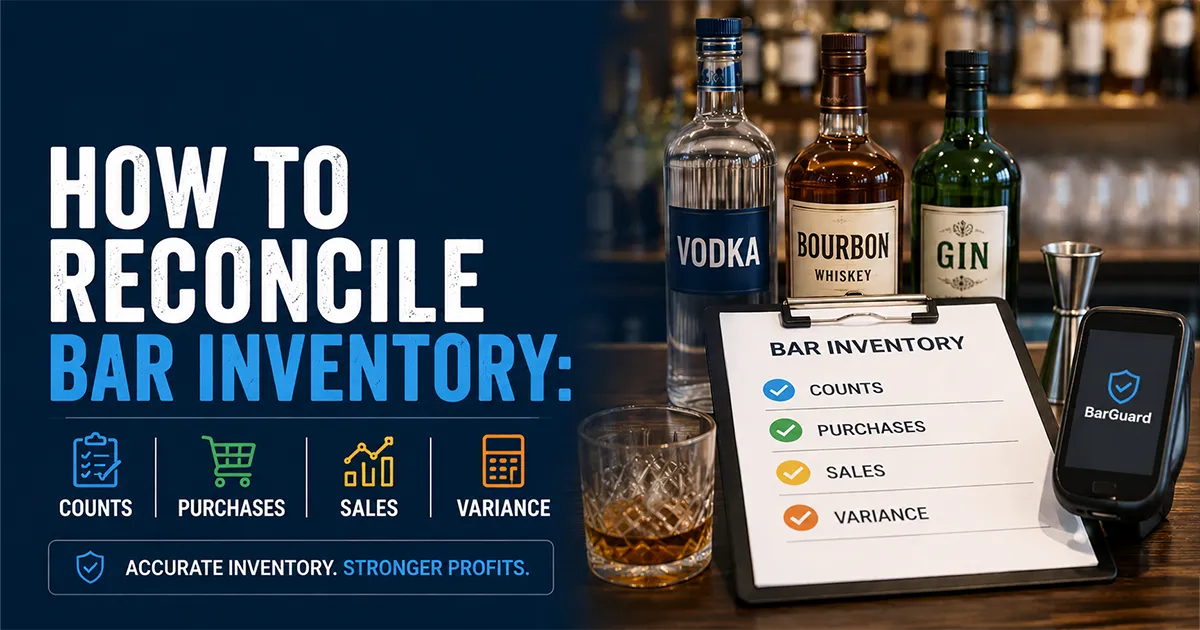
Bar inventory reconciliation is the process of proving that your counts, purchases, sales, recipes, waste logs, and variance reports all tell the same story. A count by itself only says what is on the shelf right now. Reconciliation explains how you got there. If the math does not connect, your bar may be losing product to over-pouring, unrecorded waste, missing invoices, bad recipes, theft, or simple data-entry errors.
Most inventory problems start small. A delivery is received but not entered. A keg is swapped before the manager records the empty. A bartender comps drinks but forgets the comp reason. A recipe says 1.5 oz, but the team pours 2 oz. None of those issues looks dramatic in the moment. Together, they create a weekly gap between what your bar should have used and what actually disappeared.
This guide shows how to reconcile bar inventory step by step. You will connect opening counts, purchases, transfers, waste, closing counts, POS sales, recipes, and bar inventory variance into one review process. The goal is not perfect accounting theater. The goal is a repeatable workflow that tells you whether a discrepancy is real loss, normal service waste, a receiving mistake, or a setup issue that needs to be fixed before the next count. If you need the broader operating system behind that workflow, start with the bar stock control system guide.
The basic inventory accounting logic is not unique to bars. The IRS explains in Publication 334 that purchases, beginning inventory, and ending inventory are core inputs when businesses calculate cost of goods sold. Bars use the same foundation operationally, then add recipe-level expected usage, waste notes, and POS sales to explain why product moved.
What Bar Inventory Reconciliation Means
Bar inventory reconciliation means comparing every record that affects product movement and resolving the gaps before you make decisions. If your opening count plus purchases minus closing count says you used 40 bottles of tequila, but your POS and recipes say you should have used 32, reconciliation is the process of finding what explains the other eight bottles. It is the control inside bar inventory management that decides whether the rest of your numbers can be trusted.
Some of that gap may be legitimate. Maybe two bottles broke. Maybe a private event used house tequila under a different revenue category. Maybe a transfer went to the patio bar and never came back. Maybe a vendor invoice was entered after the report ran. Reconciliation keeps those explanations from getting lost, so managers do not confuse paperwork noise with shrinkage.
That distinction matters because a bar can count regularly and still make bad decisions. If counts are disconnected from receiving, recipes, and POS sales, you only know that product moved. You do not know whether the movement was expected. Reconciliation turns the count into a control system.
The Reconciliation Formula for Bars
Start with the same actual-usage formula used in inventory accounting:
Then compare actual usage against expected usage. Expected usage is what your POS sales and recipes say should have been consumed. If you sold 80 margaritas and each recipe uses 2 oz of tequila, expected tequila usage for those margaritas is 160 oz. Repeat that math across every drink, modifier, batch, and menu item that uses the product.
A positive variance means more product left inventory than sales and recipes explain. A negative variance usually points to a count issue, missing sale mapping, unit conversion problem, or product recorded under the wrong item. Either way, the number is not the answer. It is the starting point for reconciliation.
Step 1: Lock the Count Window
Reconciliation starts before anyone touches a bottle. You need a clean count window: a defined start time, end time, and rule for what activity belongs inside the period. If the team counts front-bar tequila at 9 a.m. but receives a delivery at 9:20 a.m. before the back-stock count is complete, the report can become messy before the first calculation runs.
- ▸Count at the same day and time every week whenever possible.
- ▸Pause receiving or clearly mark deliveries that arrive during the count.
- ▸Record transfers between bars, storage rooms, events, and patios before closing the period.
- ▸Make sure waste and comp logs are entered before variance review starts.
- ▸Use one partial-bottle method so the same shelf is counted the same way each period.
If you are still building the count workflow, start with the bar inventory count process. Reconciliation depends on clean counts. If two managers would estimate the same partial bottle differently, the variance report may reflect counting style instead of product loss.
Step 2: Confirm Purchases and Receiving
Missing purchases are one of the fastest ways to create fake shrinkage. If a distributor delivery arrives during the week but does not get entered before the count, actual usage looks too high. Product came in, got used, and left the shelf, but the system never knew it existed.
Before trusting a variance report, match every invoice, credit, substitution, and emergency purchase to the count period. Check item name, bottle size, unit quantity, case quantity, unit cost, delivery date, and invoice number. If a vendor substituted a 1 L bottle for a 750 ml bottle and the system recorded the wrong size, both stock and recipe cost can drift.
The National Restaurant Association has noted that inventory systems help operators manage costs by giving them more control over what is on the shelves and what it is worth. Their resource on using technology to manage inventory is a useful non-competitive reference for why receiving accuracy matters operationally.
Step 3: Reconcile Waste, Breakage, and Comps
Waste and comps should explain variance, not disappear into memory. A broken bottle, remake, spill, batch dump, staff training pour, or manager comp is real product movement. If it is recorded correctly, the manager can separate legitimate loss from unexplained loss. If it is not recorded, it shows up later as a suspicious shortage.
A strong reconciliation workflow compares the weekly variance report against the bar waste log and the bar shift log. If well vodka is six liters over expected usage, check whether the same period has logged spills, remakes, comps, events, training, or station notes involving that item. If the logs explain three liters, the unexplained gap is smaller and the follow-up becomes more fair.
Food and beverage waste is also a broader operating issue. The FDA's overview of food loss and waste is not bar-specific, but it reinforces the same basic principle: waste that is not measured is hard to reduce. In a bar, measurement starts with recording the product, quantity, reason, shift, and manager approval while the details are fresh.
Step 4: Match POS Sales to Recipes
Expected usage depends on recipes. If the POS says you sold 120 espresso martinis, the system needs to know the exact vodka, coffee liqueur, espresso, syrup, and garnish used in each one. If the recipe is missing, outdated, or mapped to the wrong product, reconciliation breaks.
This is where many spreadsheet systems stall. They can count bottles and list purchases, but they cannot easily turn menu sales into ingredient usage. A recipe-linked system can translate sales into expected usage automatically. Without that connection, managers either skip expected usage entirely or spend hours multiplying sales exports by recipes in a spreadsheet.
- ▸Map every high-volume cocktail to current recipe quantities.
- ▸Include modifiers, doubles, rocks pours, premium substitutions, and happy-hour builds.
- ▸Review recipes when bartenders change the actual build during service.
- ▸Update ingredient costs when vendor prices change.
- ▸Separate batch recipes from made-to-order recipes so expected usage is not double-counted.
For pricing and margin work, the companion article on cocktail recipe costing explains how recipe data protects profit. For reconciliation, the same recipe data protects variance accuracy. Bad recipe data can make normal sales look like over-pouring or hide real shrinkage behind a false expected-usage number.
Step 5: Sort Discrepancies by Dollar Impact
Once actual usage and expected usage are calculated, do not start with the biggest percentage. Start with the biggest dollar impact. A 20% variance on a slow-moving cordial may be annoying. A 4% variance on well vodka, tequila, bourbon, or a top draft beer may cost far more because the product moves every day.
A useful reconciliation report should show item, category, expected usage, actual usage, unit variance, variance percentage, unit cost, dollar impact, and possible explanation. The manager should be able to scan the report and know which five products deserve attention first.
This is also where bar shrinkage becomes practical. Shrinkage is not just a blended percentage in the P&L. It is a set of product-level gaps that either get explained or remain unresolved. Reconciliation gives owners the evidence trail behind that number.
Step 6: Investigate the Pattern, Not Just the Number
A single variance number can mislead you. The pattern tells you what to do. If variance appears across many spirits at a low level, the issue may be general over-pouring. If it appears on one premium bottle every Friday night, the issue may be shift-specific. If it appears after deliveries, the issue may be receiving. If it appears on drinks with modifiers, the issue may be recipe mapping.
- ▸Repeated item, same shift: review staffing, station notes, comps, and camera context if needed.
- ▸Many items, same category: review pour sizes, recipes, glassware, and training.
- ▸Large spike after delivery: check invoices, receiving quantities, substitutions, and transfers.
- ▸Negative variance: check count accuracy, duplicated items, unit conversions, and unmapped sales.
- ▸Variance explained by waste: fix the process that created the waste, not the inventory math.
The best managers avoid jumping straight to blame. Reconciliation should narrow the problem before anyone has a hard conversation. If the report shows a missing purchase, fix receiving. If it shows a recipe mismatch, fix the recipe. If it shows repeated unexplained loss by shift after paperwork is clean, then the bar has a real loss-prevention issue to investigate.
Common Reconciliation Mistakes
Running Variance Before Purchases Are Entered
This creates false shortages and wastes manager time. Make invoice entry part of the count closeout, not a separate admin task for later.
Ignoring Transfers Between Locations
Product moved from the main bar to a patio bar, event room, storage cage, or sister location must be recorded. Otherwise one location looks short and another looks inflated.
Treating Waste as a Memory Exercise
If waste is entered at the end of the week from memory, the log will be incomplete. Record waste when it happens, with product, quantity, reason, shift, and approval.
Using Recipes That Do Not Match Service
A recipe database is only useful if it matches what bartenders actually pour. Audit recipes against real builds regularly, especially for top sellers and high-cost spirits.
Reviewing Only the Overall Percentage
Overall variance can hide product-level problems. A bar may look healthy at 4% total variance while one premium tequila runs 18% over expected usage. Reconcile at the item level.
A Weekly Bar Inventory Reconciliation Checklist
- 1Close the count window and confirm every storage area was counted.
- 2Enter all purchases, credits, substitutions, and emergency buys for the period.
- 3Confirm transfers between bars, storage rooms, events, and locations.
- 4Enter waste, breakage, comps, remakes, and manager notes before variance review.
- 5Match POS sales to recipes and confirm top sellers are mapped correctly.
- 6Calculate actual usage, expected usage, unit variance, percentage variance, and dollar impact.
- 7Sort by dollar impact and review the top products first.
- 8Document the likely cause, owner, next action, and review date for each major discrepancy.
This checklist is simple on purpose. The best reconciliation process is the one managers can run every week without turning inventory into a second job. If the workflow is too complex, it will only happen after something goes wrong. If it is repeatable, it becomes part of the operating rhythm.
Spreadsheet vs Software Reconciliation
A spreadsheet can reconcile bar inventory if the bar is small, the menu is simple, and someone has the discipline to maintain the formulas every week. You need tabs for counts, purchases, item costs, recipes, POS sales, waste, transfers, and variance. You also need a consistent naming system so the same bottle does not appear under three different names.
The problem is not that spreadsheets cannot do math. The problem is that reconciliation requires fresh data from multiple places. POS sales, recipes, invoices, waste logs, and counts all need to line up. As volume grows, the manual work becomes the reason reconciliation stops happening.
Bar inventory software becomes useful when the reconciliation workflow is too important to depend on copy-paste. BarGuard connects POS sales, recipe mapping, purchase scanning, inventory counts, waste tracking, and variance reports so managers can review the gap instead of rebuilding the report.
How BarGuard Handles Inventory Reconciliation
BarGuard is designed around the reconciliation workflow. Counts establish what is physically on hand. Purchase scanning and invoice records show what came in. POS integrations bring in what sold. Recipe mapping turns those sales into expected usage. Waste and comp records explain legitimate product movement. Variance reports show what remains unexplained.
That means managers are not staring at a mystery number. They can see which products moved, which records explain the movement, and which items still need follow-up. The system does not replace judgment. It gives managers cleaner evidence so their judgment is aimed at the right problem.
The real win is consistency. When reconciliation happens the same way every week, the team learns which records must be clean before the report runs. Purchases get entered faster. Waste notes become more specific. Recipes stay closer to the way drinks are actually built. Managers stop debating whether the number is trustworthy and start deciding what to fix.
If your bar is already counting but still cannot explain where product goes, reconciliation is the missing layer. Start with your next weekly count, confirm purchases, review waste, match recipes to sales, and sort the variance report by dollar impact. Then use BarGuard's inventory workflow to make that review faster every week.
Frequently Asked Questions
What is bar inventory reconciliation?
Bar inventory reconciliation is the process of comparing opening counts, purchases, transfers, waste, closing counts, POS sales, and recipes to explain why inventory changed during a period. It helps managers separate real loss from missing paperwork, bad counts, or recipe setup issues.
How often should a bar reconcile inventory?
Most bars should reconcile inventory weekly for high-value and high-volume products. Monthly reconciliation is usually too slow for shrinkage, over-pouring, and theft patterns because the shift details are stale by the time the report is reviewed.
What is the difference between reconciliation and variance?
Variance is the gap between actual usage and expected usage. Reconciliation is the review process that explains that gap by checking purchases, transfers, waste, comps, recipes, POS sales, and count accuracy.
What records do you need to reconcile bar inventory?
You need opening inventory, purchases, receiving details, transfers, waste and comp logs, closing inventory, POS sales, recipes, item costs, and variance by product. The more complete those records are, the easier it is to identify real shrinkage.
BarGuard Catches What You Can't See
Connect your POS, count your inventory, and let BarGuard show you exactly where the gaps are, automatically, every week.