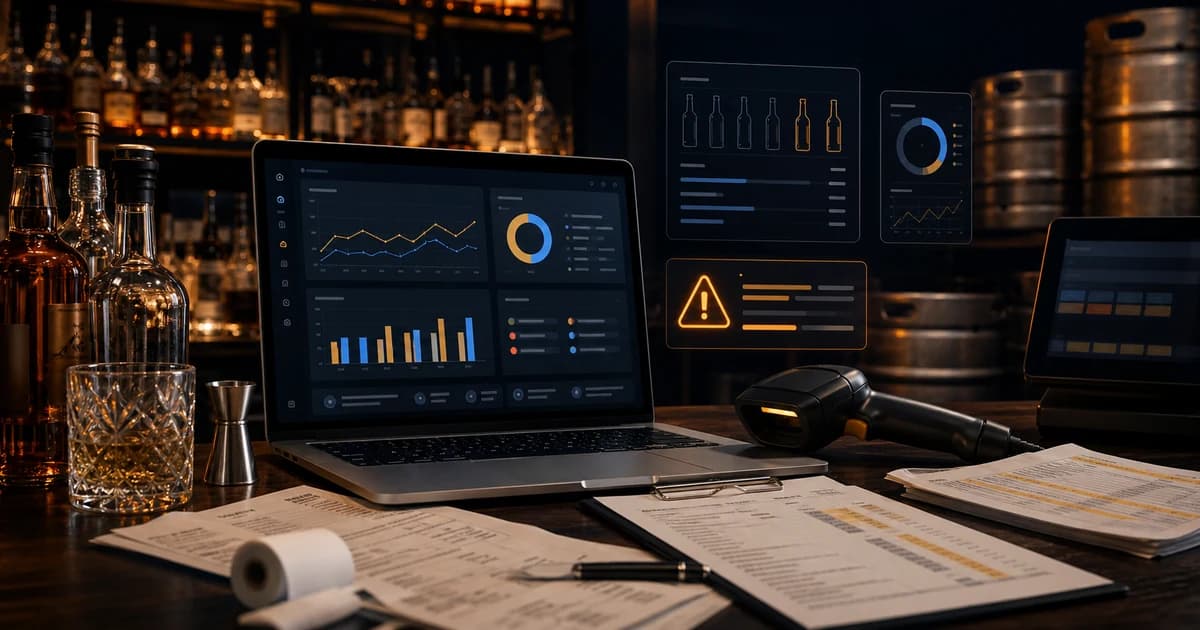
Beverage management software should do more than store bottle counts. For a bar owner, the real value is variance reporting: the ability to compare what the POS says should have been used against what inventory counts say actually disappeared. Without that comparison, the software is mostly a digital clipboard. Useful, faster than paper, but not enough to explain why beverage cost is high or where profit is leaking.
The strongest beverage management systems connect inventory, POS sales, recipes, purchases, vendor prices, waste, comps, and category COGS. That sounds like a lot, but every piece answers a simple question. What came in? What sold? What should have been used? What was counted? What was wasted or comped? What is still unexplained? When the software can answer those questions by item, category, location, and period, managers can stop chasing vague pour-cost problems and start fixing specific operating issues.
This guide explains what beverage management software should report, why variance matters more than raw counts, and how to choose reporting that supports the way bars actually operate. It is not a vendor roundup and does not link to competitors. The goal is to give you a clean buying and setup framework before you commit to a system.
What Is Beverage Management Software?
Beverage management software is a system that helps bars track alcoholic and non-alcoholic inventory from purchasing through service. At the basic level, it stores items, counts, vendors, and purchase records. At the useful level, it connects those records to POS sales, drink recipes, waste logs, and variance reports so the owner can see whether inventory movement makes sense.
The distinction matters. A bar can count inventory every week and still have no idea why cost is high. Counting tells you what is on the shelf. Management software should tell you what changed, what should have changed, and which products need attention. The difference between a count tool and a management system is the quality of the reporting after the count.
The Reports Beverage Software Must Have
A good beverage system should make the weekly review faster and more specific. That means the reporting needs to follow the operator workflow, not just accounting categories. You need to see product-level detail, category rollups, period comparisons, purchases, waste, and variance in one place. If managers have to export three spreadsheets and manually combine them, the software has not solved the core problem.
| Report | What it answers | Why it matters |
|---|---|---|
| Item variance | Which products used more or less than expected? | Finds over-pouring, theft, bad recipes, count errors, and waste gaps |
| Category COGS | How did liquor, beer, wine, and mixers perform? | Separates the real source of beverage cost movement |
| Waste and comps | What known product movement explains usage? | Keeps legitimate loss from looking like shrinkage |
| Purchase changes | Which vendor costs moved? | Shows when menu prices or recipes need review |
| POS recipe usage | What should sales have consumed? | Creates the theoretical baseline for variance |
Variance Reporting Is the Core Feature
Variance reporting compares expected usage against actual usage. Expected usage comes from POS sales and recipes. Actual usage comes from beginning inventory, purchases, transfers, waste, and ending inventory. When actual usage is higher than expected, the gap is variance. That gap may be over-pouring, theft, unrecorded comps, missing waste, a bad count, a vendor receiving issue, or a recipe that does not match how the drink is made.
This is the same logic covered in the bar inventory variance guide, but software makes the process repeatable. Instead of building a manual spreadsheet after every count, the system should calculate the gap automatically and sort it by dollar impact. That last part is important. Managers should work the products that cost the business the most money first, not the products with the loudest percentage swings.
POS Integration Is Not Optional
A beverage system without POS integration can count inventory, but it cannot calculate theoretical usage without manual imports. The POS knows what sold, when it sold, which modifier was selected, which item was voided, which discount applied, and which category produced revenue. Without that sales data, inventory reports are missing the other half of the story.
POS integration is especially important for bars with cocktails, modifiers, draft serving sizes, happy hour pricing, and multiple locations. A gin martini, dirty martini, double martini, and happy hour martini may all pull from similar inventory but at different expected usage levels. The software needs sales detail precise enough to map those orders to recipes. Otherwise variance will look like a product problem when it is really a mapping problem.
Recipe Management Connects Sales to Inventory
Recipes are the bridge between POS sales and inventory depletion. If the POS says you sold 100 margaritas, the system needs to know how much tequila, triple sec, lime, syrup, salt, and garnish those sales should have used. If recipes are missing or outdated, variance reporting becomes less trustworthy because the expected usage baseline is wrong.
The best beverage management software makes recipe maintenance practical. It should support standard pours, doubles, modifiers, batch cocktails, wine glass pours, draft sizes, and ingredient substitutions. It should also make cost updates easy when vendor prices move. The cocktail recipe costing guide explains the drink-level math; beverage software should make that math operational every week.
Purchasing and Receiving Need to Feed COGS
Beverage COGS depends on beginning inventory, purchases, and ending inventory. That is the same cost-of-goods logic described by the IRS in Publication 334. For bars, the software needs to receive invoices, vendor names, quantities, units, prices, credits, substitutions, and delivery dates. If purchases are missing or assigned to the wrong period, beverage cost and variance reports will be wrong.
Receiving is also where vendor price changes become visible. A bottle that went from 23 to 28 may turn several cocktails from healthy to thin. If software only stores the old cost, menu pricing decisions lag behind reality. A useful system flags cost movement on high-volume items so managers know which recipes, menu prices, and par levels need review.
Waste, Breakage, and Comps Must Be Structured
Waste is not just a note field. It is a structured part of inventory movement. Spills, breakage, spoiled wine, foamy draft beer, guest remakes, comped drinks, staff drinks, and batch loss all consume product. If the software does not capture those events by item and reason, legitimate product use gets mixed into unexplained variance.
Use the same fields recommended in the bar waste log: item, amount, reason, shift, employee, manager approval, and notes. The goal is not bureaucracy. The goal is to explain inventory movement before blaming people or raising prices.
Dashboards Should Prioritize Action, Not Decoration
A dashboard is only useful if it tells managers what to do next. Pretty charts are not enough. The homepage of the software should surface the products with the largest dollar variance, categories with rising COGS, items affected by vendor price increases, unusual waste patterns, and count tasks that are overdue. If the manager has to hunt for the problem, the dashboard is too passive.
- ▸Show variance by dollar impact and category.
- ▸Separate known waste from unexplained loss.
- ▸Flag vendor cost changes on top-selling items.
- ▸Highlight missing counts, unmapped POS items, and recipe gaps.
- ▸Compare current period performance against prior periods.
- ▸Connect each alert to a next action: recount, update recipe, review shift, reprice, or investigate.
Avoid Software That Only Solves Counting
Fast counting is valuable, but it is not the whole job. A scanner, mobile count sheet, or spreadsheet replacement can reduce labor, but it does not automatically protect profit. The question is what happens after the count. Does the system compare sales to recipes? Does it show variance? Does it include waste? Does it tie vendor price changes to recipes and menu prices? Does it show which items need action this week?
If the answer is no, the bar may still be stuck doing the real analysis manually. That can work for a very small operation, but it usually breaks as menus, vendors, staff, locations, and service volume grow. A bar that wants to reduce shrinkage needs reporting built for management, not only faster data entry.
Buying Checklist for Beverage Management Software
- 1Can the software connect to your POS and import item-level sales?
- 2Can it map POS items to recipes, modifiers, and serving sizes?
- 3Can it calculate theoretical usage from sales and recipes?
- 4Can it compare theoretical usage against physical inventory depletion?
- 5Can it track waste, comps, voids, transfers, and receiving adjustments?
- 6Can it calculate beverage COGS by category and item?
- 7Can it flag vendor cost changes and recipe margin changes?
- 8Can it sort variance by dollar impact so managers know what to fix first?
- 9Can it support multiple bars, storage areas, and count workflows?
- 10Can the team use it weekly without needing a spreadsheet expert?
Implementation Plan for the First 30 Days
The first month with beverage management software should not be treated like a software migration only. It is an operations cleanup. The goal is to get enough clean data flowing that the first variance reports are useful, even if they are not perfect. Start with the products that matter most: high-volume spirits, top cocktails, draft beer, wine by the glass, and any premium bottles with high dollar risk.
Week one should focus on the item list. Remove duplicates, standardize names, set categories, confirm units, and assign vendors. Week two should focus on POS mapping and recipes. Week three should focus on purchases and receiving. Week four should run the first full variance review. Trying to do everything at once usually creates messy data and staff frustration. A phased rollout gives managers a chance to fix the records before trusting the reports.
- 1Clean the item master list and remove duplicate products.
- 2Map the highest-volume POS items to inventory items and recipes.
- 3Enter current vendor costs for the products driving the most sales.
- 4Run one full count and one test variance report before judging results.
- 5Fix obvious setup problems such as unmapped modifiers or wrong serving sizes.
- 6Use the second count cycle as the first management-grade review.
Data Quality Problems That Make Reports Look Wrong
When a new variance report looks strange, the problem is often setup quality rather than the software or the staff. A duplicate bottle record can split counts across two items. A POS button can map to the wrong recipe. A margarita recipe can use 1.5 ounces in the system while bartenders pour 2 ounces in practice. A keg size can be wrong. A vendor invoice can be entered into the wrong period. Each of those issues creates variance noise.
Good software should help surface those data-quality issues. It should show unmapped POS items, missing recipes, products with no cost, impossible count changes, and vendor prices that changed sharply. But managers still need to treat the first few cycles as calibration. The early goal is not to accuse anyone. It is to make the system reflect how the bar actually operates so future reports are trustworthy.
What a Weekly Variance Meeting Should Look Like
The weekly variance meeting should be short and practical. Start with category COGS so everyone knows whether liquor, beer, wine, or mixers moved. Then review the top item variances by dollar impact. For each item, ask whether the gap is explained by waste, comps, receiving, recipe changes, count errors, or known service issues. If not, assign a follow-up owner. The meeting should end with actions, not a long debate about every product on the shelf.
A strong meeting might produce five decisions: recount one premium bottle, update the recipe for a top cocktail, review draft foam on one tap, ask the vendor about a price jump, and watch one shift where variance repeated. That is the real value of beverage management software. It turns scattered data into a short list of operational decisions.
Reporting by Role: Owner, Manager, and Bartender
The owner, general manager, bar manager, and bartender do not need the same report. The owner needs category cost, margin trend, shrinkage dollars, and whether the system is protecting profit. The general manager needs labor-aware operational priorities. The bar manager needs item-level variance, recipe problems, waste patterns, and purchasing exceptions. Bartenders need clear standards: what to pour, what to log, which items are being watched, and what counts as an approved comp or waste event.
Good beverage management software should support those layers without burying the team. If every role gets the same dense report, no one acts. A strong system lets the owner see the financial picture while giving managers the specific products and shifts that require action. It also helps staff because expectations become visible. When the team knows the bar tracks variance by item and reviews waste by reason, accountability feels like process rather than suspicion.
Single Location vs Multi-Location Reporting
A single-location bar needs clean item variance and weekly cost control. A multi-location group needs that plus comparison reporting. If one location runs tequila cost at 22% while another runs the same product at 31%, the owner needs to know whether the difference is pricing, recipe compliance, sales mix, theft, vendor cost, or count process. Multi-location reporting should normalize products and categories so operators can compare performance without manually rebuilding the data.
This is also where permissions matter. A location manager may need to see their own variance but not every other location's financials. An owner may need rollups across the group. A beverage director may need vendor price movement across all accounts. The software should support those views because reporting is not only about numbers. It is about who can act on them.
Questions to Ask on a Demo
- ▸Show me an item-level variance report from POS sales through physical counts.
- ▸Show me how waste, comps, and voids change the variance explanation.
- ▸Show me what happens when a POS item is unmapped or a recipe is missing.
- ▸Show me how vendor price changes affect recipe margins.
- ▸Show me the report a bar manager would review every Monday morning.
- ▸Show me how the system handles partial bottles, partial kegs, and wine by the glass.
- ▸Show me how I would investigate one product that is short by dollar impact.
Red Flags When Evaluating a System
- ▸The system talks about inventory counts but not theoretical usage.
- ▸POS sales require manual spreadsheet imports every week.
- ▸Recipes cannot handle modifiers, doubles, batches, or draft serving sizes.
- ▸Waste and comps are stored as notes instead of structured item movement.
- ▸Reports show percentages but not dollar impact.
- ▸Vendor price changes do not flow into recipes or margin reports.
- ▸The dashboard looks impressive but does not tell managers what to fix next.
How BarGuard Handles Beverage Variance Reporting
BarGuard is designed around the exact reporting workflow bar owners need: inventory counts, purchases, recipes, POS sales, waste, and variance in one operating view. It is not only a count app. It is built to show which products are creating the largest unexplained gaps, which categories are moving beverage cost, and which actions managers should take next.
That matters because bar owners do not need another report to admire. They need an answer to the question, where did the money go? BarGuard connects the POS to inventory so expected usage can be compared against actual usage. It also supports the broader bar inventory software workflow for counts, invoices, waste, and variance review.
The Bottom Line
Beverage management software should help a bar make better decisions every week. The core feature is not a count screen. It is variance reporting that connects POS sales, recipes, purchases, waste, and physical inventory. Without that connection, the software may be faster than paper but still leave owners guessing why beverage cost is high.
Look for reporting that exposes the gap between what should have been used and what actually disappeared. That gap is where over-pouring, waste, theft, bad recipes, vendor changes, and count errors hide. Once the gap is visible, the bar can act.
BarGuard Catches What You Can't See
Connect your POS, count your inventory, and let BarGuard show you exactly where the gaps are, automatically, every week.