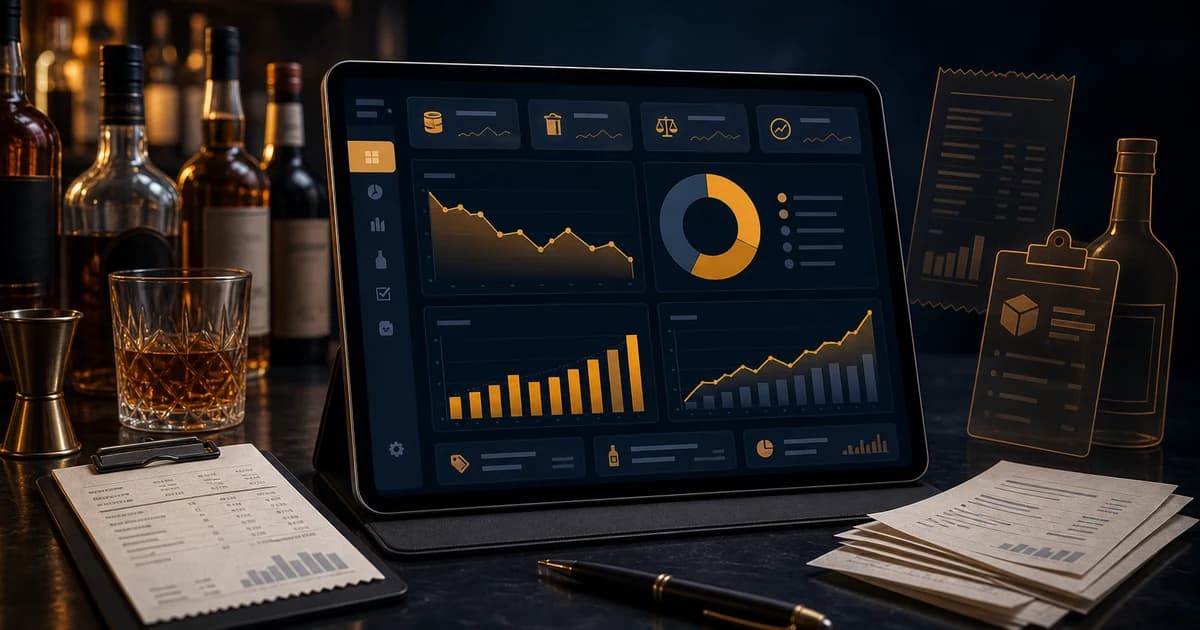
Bar cost control software helps a bar see where product cost, waste, vendor price changes, over-pouring, comps, theft, and count errors are moving profit before the monthly P&L arrives. It is the operating layer between inventory counts and financial decisions. A spreadsheet can tell you what you typed in. A cost control system connects what you bought, what you counted, what the POS sold, what recipes should have used, and what disappeared without a clean explanation.
That matters because bar profit does not usually leak from one dramatic event. It leaks from ordinary shifts: a premium tequila pour that is heavier than the recipe, a keg that foams all weekend, an invoice price increase no one noticed, a comp that never gets entered, a broken bottle that gets cleaned up but not logged, or a count that misses one storage location. Each item feels small. Together, they can make a busy bar look successful while the owner's margin quietly shrinks.
This guide explains what bar cost control software should track, how it differs from basic inventory software, which reports matter, and how to use it every week. If you are already focused on pour cost, this is the next layer: turning cost percentage into specific operating actions.
The accounting foundation is simple. The IRS explains in Publication 334 that beginning inventory, purchases, and ending inventory are key pieces of cost of goods sold. Bars use the same core formula, then add operational detail: recipes, POS sales, transfers, waste, comps, vendor prices, and variance.
What Is Bar Cost Control Software?
Bar cost control software is a system that tracks the product costs and operating behaviors that decide beverage margin. It should tell managers what the bar bought, what it should have used, what it actually used, what changed in price, what was wasted, what was comped, and which items deserve attention first.
A basic inventory tool may help count bottles. A cost control system goes further. It connects counts to purchases, invoices, recipes, POS sales, waste logs, and variance reports. Instead of only asking, "How many bottles are left?" it asks, "Does the amount left make sense based on sales, recipes, receiving, waste, and transfers?" The best bar inventory software options are compared side by side here, sorted by what each one is actually good at.
The best systems also help managers act. A report that lists every small discrepancy is noise. A report that sorts variance by dollar impact, shows vendor price changes, flags recipe costs that no longer match menu prices, and separates waste from unexplained loss is a management tool.
Why Bars Need Cost Control Beyond Inventory Counts
Counting inventory is necessary, but it is not enough. A count tells you what is physically present at a point in time. It does not explain whether the cost used during the week was healthy, whether the bar ordered correctly, whether a top cocktail is now underpriced, or whether a high-value bottle is disappearing faster than sales justify.
For example, imagine a bar counts every Monday. The count is accurate, purchases are entered, and the bar calculates beverage cost at 28%. That number is useful, but it is incomplete. If the target is 23%, the owner still needs to know why the bar ran five points high. Was it a tequila price increase? Draft waste? Poor recipes? Unrecorded comps? Count timing? Theft? A cost control system narrows the cause.
This is where the work becomes operational. The bar inventory reconciliation process checks whether purchases, counts, waste, recipes, and sales agree. Cost control turns that reconciliation into a weekly rhythm so the team can fix the issue while the details are still fresh.
The Cost Signals Every Bar Should Track
A practical bar cost management system does not need to bury managers in dashboards. It needs to track the cost signals that actually change decisions. Start with these seven.
1. Actual Beverage Cost
Actual beverage cost uses beginning inventory, purchases, and ending inventory to show what product was consumed during the period. It is the baseline. If actual cost is moving up, the bar needs to know whether the increase came from price, usage, waste, sales mix, or bad data.
2. Theoretical Beverage Cost
Theoretical cost is what the bar should have used based on POS sales and recipes. If you sold 200 margaritas and each recipe uses 1.5 ounces of tequila, the system can estimate how much tequila should have left inventory. The gap between theoretical and actual usage is where over-pouring, theft, waste, and recipe errors start to show.
3. Inventory Variance
Inventory variance compares expected usage against actual usage at the item level. It is more useful than a single blended cost percentage because it points to specific products. A blended beverage cost can hide the fact that one fast-moving vodka, one draft line, or one batch cocktail is causing most of the loss.
4. Vendor Price Changes
Vendor price changes can raise cost even when the bar team does everything right. If tequila rises from $32 to $38 per bottle and the recipe cost is not updated, the menu price may no longer protect margin. Cost control software should preserve price history and surface changes that affect top sellers first.
5. Waste, Breakage, and Comps
Waste is not automatically a discipline problem. Spills, broken bottles, foamy beer, batch loss, and remakes happen in real service. The problem is unrecorded waste. A bar waste log gives variance context so legitimate product movement is not confused with unexplained shrinkage.
6. Recipe Cost and Menu Price
Recipe cost connects inventory data to menu pricing. If the bar does not know the current ingredient cost of its top cocktails, it cannot know whether prices still work. The liquor markup formula helps translate bottle cost, pour size, and target margin into a price that protects profit.
7. Dead Stock and Over-Ordering
Cost control is not only about missing product. It is also about cash tied up in slow-moving bottles. A bar can lose flexibility by over-ordering premium spirits, seasonal liqueurs, wine, or event stock that does not move. Par levels and reorder points should use actual depletion, not memory. The bar stock control system guide covers this operating layer in detail.
Bar Cost Control Software vs Bar Inventory Software
The terms overlap, but the intent is different. Bar inventory software helps track stock on hand, count cycles, purchases, locations, and products. Bar cost control software uses that inventory data to protect margin. In a strong system, the two work together.
- ▸<strong>Inventory software</strong>: counts bottles, kegs, wine, beer, food, supplies, locations, and purchase records.
- ▸<strong>Cost control software</strong>: connects inventory to COGS, recipes, POS sales, vendor prices, waste, comps, and variance.
- ▸<strong>Profit tracking software</strong>: connects cost signals to gross margin, sales mix, pricing, and owner-level decisions.
- ▸<strong>Reconciliation workflow</strong>: explains the gap between what should have happened and what actually happened.
If a system only helps you count, it may improve accuracy but still leave managers guessing. If it connects counts to cost, it can show whether the bar should update a recipe, change a price, retrain a pour, investigate a shift, tighten receiving, adjust par, or stop buying a slow mover.
How Cost Control Software Uses POS and Recipes
POS data is what turns inventory from a static count into expected usage. Without sales data, managers can only compare beginning inventory, purchases, and ending inventory. With POS data and recipes, they can compare actual usage against what the bar should have used for the drinks it sold.
That connection requires clean recipes. Each cocktail should have ingredients, quantities, modifiers, batch yields, garnish cost where meaningful, and current product costs. If the recipe says 1.5 ounces but bartenders pour 2 ounces, variance appears. If the recipe cost uses old invoice prices, margin appears healthier than it is. If a drink is sold under a generic open-key button, expected usage becomes harder to trust.
The National Restaurant Association has covered how operators use technology to manage inventory and save money. The same principle applies inside a bar: the more reliably sales, inventory, and purchase data connect, the faster managers can see cost movement.
How to Review Bar Costs Weekly
A weekly cost review should be short, repeatable, and tied to action. The goal is not to admire a dashboard. The goal is to decide what needs to change before another week of service compounds the same leak.
- 1<strong>Lock the count period.</strong> Use a consistent count window and make sure purchases, transfers, waste, and comps belong to the same period.
- 2<strong>Calculate actual COGS.</strong> Use beginning inventory plus purchases minus ending inventory by category and by item where possible.
- 3<strong>Compare theoretical usage.</strong> Match POS sales to recipes so the system can calculate what should have been used.
- 4<strong>Sort variance by dollar impact.</strong> Prioritize the products that move profit, not the smallest percentage oddities.
- 5<strong>Check vendor price movement.</strong> Review top-seller cost changes before changing menu prices or blaming staff.
- 6<strong>Review waste and comp reasons.</strong> Separate documented waste from unexplained loss so managers do not chase the wrong cause.
- 7<strong>Assign one owner and one next action.</strong> Every major issue should end with a decision: update recipe, change price, retrain, investigate, adjust par, or fix receiving.
This review is most valuable when it happens soon after the count. If managers wait three weeks, the trail goes cold. The bartender who worked the event may not remember the batch issue. The vendor credit may be buried. The receiving note may be missing. Fast review protects both profit and fairness.
What Reports Should a Bar Cost Management System Include?
The right reports depend on the concept, but most bars need the same core set. Each report should answer a decision question, not just show data.
- ▸<strong>COGS report:</strong> What did we consume this period by category and product?
- ▸<strong>Actual vs theoretical usage:</strong> Did product movement match what POS sales and recipes expected?
- ▸<strong>Variance by dollar impact:</strong> Which discrepancies matter most financially?
- ▸<strong>Vendor price history:</strong> Which products changed cost and which menu items are affected?
- ▸<strong>Recipe margin report:</strong> Which cocktails, shots, drafts, and wines no longer hit target cost?
- ▸<strong>Waste and comp report:</strong> Which products, shifts, and reasons explain documented loss?
- ▸<strong>Dead stock report:</strong> Which bottles tie up cash without enough movement?
- ▸<strong>Par and reorder report:</strong> What should be ordered based on usage, lead time, and current stock?
The most important report for Google-friendly intent and real operations is the actual vs theoretical report. It bridges the gap between accounting and the bar floor. Owners care about cost. Managers need to know which bottle, recipe, shift, vendor, or count problem created it.
Common Cost Control Mistakes
Most bars do not fail at cost control because the math is hard. They fail because the inputs are inconsistent or the review happens too late. Watch for these mistakes.
- ▸Using purchases as cost instead of beginning inventory plus purchases minus ending inventory.
- ▸Counting one location but missing back-stock, event storage, patio bars, or keg rooms.
- ▸Updating menu prices without checking recipe costs and variance first.
- ▸Treating all variance as theft when waste, comps, receiving errors, and recipe drift may explain part of it.
- ▸Ignoring vendor price increases until the month-end P&L looks wrong.
- ▸Reviewing cost only at month-end, after shift-level details are gone.
- ▸Letting one blended beverage cost hide category-level problems in spirits, draft, wine, or bottled beer.
The FDA's overview of food loss and waste is broader than bar operations, but the operating lesson is relevant: loss is easier to reduce when it is visible. In a bar, visibility means item, quantity, reason, shift, cost, and whether the loss explains variance.
Spreadsheet vs Bar Cost Control Software
A spreadsheet can work for a small bar when one disciplined person owns the file, counts happen at the same time, recipes rarely change, purchases are entered cleanly, and the owner has time to review every tab. The problem is not the math. The problem is maintenance. Bar cost control depends on current bottle prices, current recipes, clean product names, accurate count units, sales data, waste notes, and vendor records. Once those inputs spread across different files or different people, the spreadsheet becomes fragile.
The first warning sign is duplicate product naming. One invoice says Tito's 1L, another says Titos Vodka Liter, the count sheet says Tito 1000ml, and the cocktail recipe uses Tito's Vodka. A human can understand those are probably the same item, but reporting will not unless the records are cleaned up. The second warning sign is stale pricing. If a bottle cost changes and the recipe tab is not updated, every margin report for that drink is wrong.
The third warning sign is delayed entry. If counts are written on paper, invoices sit in a stack, and waste gets entered at the end of the week, the system loses the timing that explains cost. A missing delivery, a private event, a broken case, or a batch prep issue may be obvious on Monday and impossible to reconstruct three weeks later.
Software earns its place when it reduces those failure points. It should keep one item master, preserve vendor price history, connect recipes to current costs, pull POS sales into expected usage, and keep waste, comps, and transfers close to the count cycle. If software only recreates a spreadsheet with prettier colors, it is not enough. The value is the connection between records.
How to Choose Bar Cost Control Software
The best cost control system is the one your team will actually use during a normal week. A feature list matters, but workflow matters more. If counts take too long, receiving is awkward, or reports require a manager to export data into another spreadsheet before anything makes sense, the system will slowly stop being trusted.
- ▸<strong>Fast counting:</strong> Managers should be able to count every storage location without fighting the interface.
- ▸<strong>Clean item setup:</strong> Products need consistent names, units, bottle sizes, vendors, costs, categories, and locations.
- ▸<strong>POS connection:</strong> Sales should flow into expected usage instead of being manually retyped.
- ▸<strong>Recipe costing:</strong> Recipes should use current ingredient costs and expose margin changes quickly.
- ▸<strong>Purchase tracking:</strong> Invoices, credits, substitutions, and vendor price changes should affect cost reports.
- ▸<strong>Waste and comp context:</strong> Legitimate loss needs a place to live so it can explain variance.
- ▸<strong>Actionable reporting:</strong> Reports should prioritize dollar impact, not bury managers in every tiny discrepancy.
Also look for fit. A nightclub, craft cocktail bar, restaurant bar, sports bar, brewery taproom, and multi-location group do not have identical needs. A cocktail bar may care most about recipe cost and premium spirits variance. A sports bar may care about draft waste, event ordering, and par levels. A restaurant bar may need food, beverage, and non-alcoholic items in the same operating system. The software should support the way the bar makes money.
A 30-Day Rollout Plan for Cost Control
Cost control gets easier when the rollout is staged. Trying to fix every item, recipe, vendor, report, and operating habit in one week usually creates frustration. Start with the products that move the most money and build outward.
Week 1: Clean the Item List
Start with the item master. Clean names, categories, bottle sizes, units, vendors, locations, and costs for the top products first. If the item list is messy, every report downstream becomes harder to trust. Do not spend hours perfecting slow-moving bottles before the products that drive sales are clean.
Week 2: Connect Counts and Purchases
Run one consistent count cycle and enter every purchase, credit, substitution, damaged item, and transfer for the same period. This establishes the first useful actual COGS picture. It also reveals whether count units and purchase units agree. A case, bottle, ounce, liter, keg, and half-keg cannot be mixed casually without conversion logic.
Week 3: Add Recipes and POS Usage
Add recipes for the highest-volume cocktails and connect POS sales so the system can calculate theoretical usage. You do not need every obscure drink perfect on day one. Start with the top sellers because they move the total cost fastest. Once those are connected, variance becomes much more useful.
Week 4: Review Variance and Act
After the second count, review actual versus theoretical usage and sort by dollar impact. Pick a small number of actions: update a recipe, adjust a menu price, retrain one pour, fix a receiving habit, change a par level, or investigate one repeated variance pattern. The point of cost control is action, not perfect reporting.
How BarGuard Handles Bar Cost Control
BarGuard is built around the cost signals that matter to bars: mobile inventory counts, POS-connected sales, invoice and purchase tracking, item-level variance, waste and comp context, recipes, vendor prices, and profit review. The point is not to create another spreadsheet. The point is to make the cost story visible fast enough for managers to act.
With BarGuard, a manager can count inventory, connect sales, compare expected usage against actual usage, review variance by product, and trace whether a problem is likely price, waste, recipe, receiving, or unexplained depletion. That makes the weekly review more specific. Instead of saying "liquor cost is high," the manager can say "these three products created most of the dollar variance, this vendor price changed, and this waste log explains part of the gap."
If you want the software side, start with bar inventory software. If you want the owner-level reporting angle, review bar profit tracking. If you are ready to compare the operating cost, the BarGuard pricing page shows the current plan structure.
The Bottom Line
Bar cost control software should help owners and managers answer one question every week: where did product cost move, and what should we do about it? The answer usually lives in connected data. Inventory counts show what is left. Purchases show what came in. POS sales and recipes show what should have gone out. Waste logs, comps, transfers, and receiving notes explain the difference.
The bars that protect margin do not wait for the monthly P&L to reveal a problem. They review cost weekly, prioritize variance by dollar impact, keep vendor prices current, document waste, and turn each report into a specific next action. That is the real value of a bar cost management system: fewer mystery losses, faster decisions, and a cleaner path from busy service to actual profit.
Frequently Asked Questions
What is bar cost control software?
Bar cost control software connects inventory, purchases, recipes, POS sales, waste, comps, vendor prices, and variance so managers can see why beverage cost changed and what action to take.
How is cost control different from inventory management?
Inventory management tracks stock on hand and product movement. Cost control uses that data to manage COGS, recipe margins, vendor prices, waste, variance, and profit decisions.
What should a bar cost management system track?
At minimum it should track counts, purchases, COGS, actual versus theoretical usage, inventory variance, waste, comps, vendor price changes, recipe cost, menu price, par levels, and dead stock.
How often should bars review cost control reports?
Weekly is the strongest rhythm for most bars because managers can still connect issues to specific shifts, deliveries, waste events, recipes, or vendor price changes.
Can cost control software reduce bar shrinkage?
It can help reduce shrinkage by showing unexplained usage, repeated waste patterns, over-pouring signals, missing receiving records, and products that disappear faster than sales justify.
BarGuard Catches What You Can't See
Connect your POS, count your inventory, and let BarGuard show you exactly where the gaps are, automatically, every week.