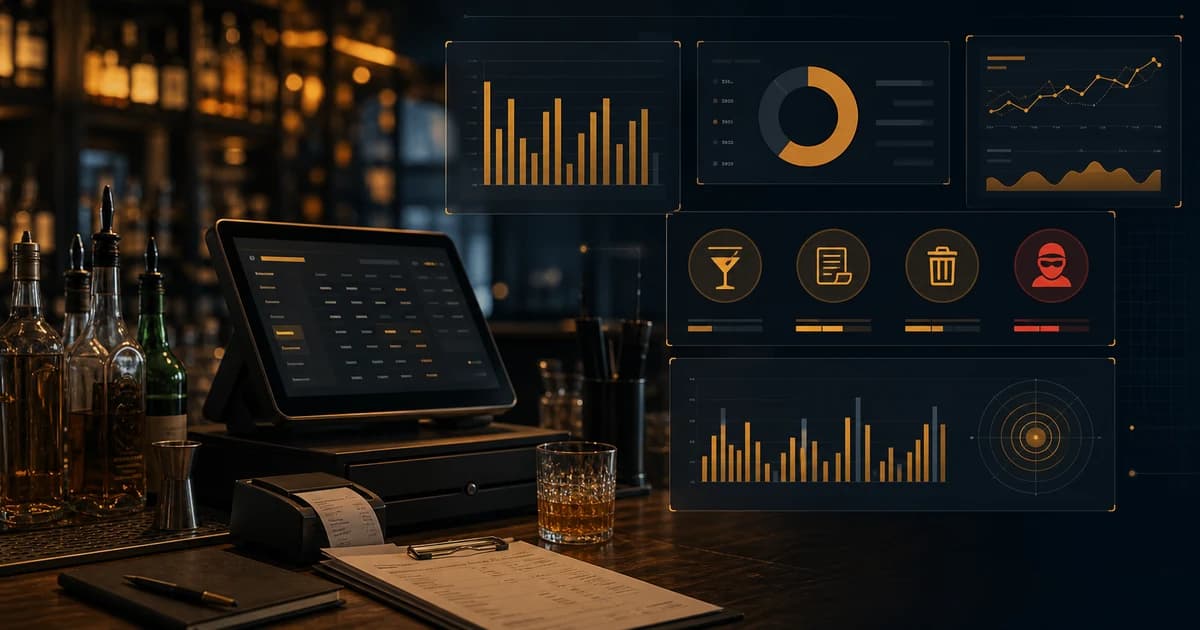
Restaurant loss prevention software should help operators find where money and product disappear before the month-end P&L makes the damage official. For bars and restaurant bars, that means tracking more than cash drawer shortages or camera footage. The biggest losses often sit inside inventory variance, over-pouring, unlogged waste, comp abuse, void patterns, receiving errors, vendor credits, dead stock, and products that leave without a matching sale.
Restaurant loss prevention software is a broad category, so this article takes a bar and beverage angle rather than repeating our bar loss prevention guide. It focuses on software requirements: what a restaurant or bar should track, what reports matter, and how inventory data connects to theft and waste controls.
The key idea is simple: loss prevention software is only useful if it catches loss where it actually happens. In a bar, that means product-level visibility. A camera can show behavior. A POS can show transactions. Inventory variance shows whether the product movement makes sense. The strongest system connects all three types of evidence without forcing the owner to rebuild the story manually.
What Is Restaurant Loss Prevention Software?
Restaurant loss prevention software is a toolset for detecting and reducing preventable loss across product, cash, labor, discounts, waste, theft, and operational errors. In a full restaurant, that may include food cost, recipe control, payroll, cash handling, purchasing, invoice review, and security workflows. In a bar, the highest-value loss prevention work usually centers on beverage inventory and POS activity.
A generic restaurant loss tool may focus on sales exceptions, time clock issues, or camera review. Those can be useful, but they are incomplete for bars. A bar needs item-level inventory control because a bartender can create loss without creating an obvious POS exception. Heavy pours, free drinks, bottle swaps, unlogged comps, and missing receiving credits all affect product movement first.
The Loss Types Software Should Track
Before buying software, define the loss types you expect it to catch. Otherwise every dashboard looks impressive. The bar needs to know whether the system can detect product loss, transaction loss, receiving loss, and process loss.
| Loss type | Signal | Software requirement |
|---|---|---|
| Over-pouring | Actual usage exceeds recipe usage | POS recipe mapping and item-level variance |
| Theft | Product missing without sale or waste reason | Variance by product, period, and shift context |
| Comp abuse | High comp volume or weak reason codes | Comp tracking by item, employee, and reason |
| Void abuse | Unusual void patterns, especially cash-adjacent | POS exception reporting and manager review |
| Waste | Spills, breakage, spoilage, remakes | Structured waste and ullage logging |
| Receiving errors | Short deliveries, wrong products, missing credits | Purchase order and receiving controls |
Inventory Variance Is the Core Bar Control
Inventory variance is the difference between what the POS and recipes say should have been used and what the physical inventory count says actually left. If a bar sold drinks that should have used 4 bottles of vodka but the count shows 5.5 bottles gone, the software should flag the gap. That gap may be over-pouring, theft, wrong recipes, unlogged waste, count error, or receiving issue. The point is that the system makes the problem specific.
This is why the bar inventory variance workflow is the foundation. Without variance, loss prevention becomes a collection of suspicions. With variance, the owner can see which products, categories, and periods deserve review.
POS Exceptions Still Matter
POS exceptions are still important. Comps, voids, discounts, refunds, no-sales, cash transactions, deleted items, and manager overrides can all signal loss. But POS data alone does not prove product loss. A bartender can over-pour every margarita and the POS will still look normal. A staff member can give away drinks and ring some of them as normal sales. Inventory data is what tests whether the POS activity matches product movement.
The best loss prevention workflow pairs POS exception reporting with inventory variance. If a bartender has high voids and the same shift shows unexplained tequila variance, the signal is stronger. If voids are high but inventory is clean, the issue may be training or transaction procedure. Software should help operators separate those cases.
Waste and Ullage Reporting
Waste records prevent legitimate product loss from being mistaken for theft. Spills, breakage, draft foam, spoiled wine, guest remakes, and quality discards all consume product. If they are not logged, variance rises and managers have less confidence in the report. A structured ullage reporting workflow keeps known loss separate from unexplained shrinkage.
This matters for culture as much as math. Staff are more likely to trust loss prevention when the system accounts for real service problems. If every spill becomes a mystery shortage, the process feels unfair. If known waste is logged and only the remaining gap is investigated, the process feels more disciplined.
Receiving and Vendor Controls
A surprising amount of loss prevention starts before the product reaches the bar. Short deliveries, wrong products, vendor substitutions, damaged cases, missing credits, and price creep can all look like inventory or margin problems later. Loss prevention software should include purchasing and receiving data so managers can clear vendor issues before investigating staff.
The bar inventory purchase orders workflow explains this in more detail. For software evaluation, the requirement is simple: the system should show what was ordered, what was billed, what arrived, what was credited, and what inventory quantity changed.
Food Safety Discards and Quality Loss
Some losses are required for quality or safety. Product that should be discarded should be discarded. The FDA publishes the Food Code as a model for food safety practices. Loss prevention software should not encourage unsafe product decisions. It should make quality discards visible so the cost can be managed and patterns can be fixed.
Reports Restaurant and Bar Owners Need
The owner does not need a giant dashboard full of charts. The owner needs reports that lead to action. A good restaurant loss prevention system should show losses by dollar impact, product, employee context where appropriate, shift, category, and reason. It should also separate known loss from unexplained loss.
- ▸Item-level inventory variance sorted by dollar impact.
- ▸Category COGS for liquor, beer, wine, food, mixers, and supplies.
- ▸Comp, void, discount, and refund reports by reason and approver.
- ▸Waste and ullage reports by product, shift, and reason.
- ▸Receiving exceptions: short deliveries, substitutions, damages, credits.
- ▸Vendor price changes that affect recipe margin.
- ▸Repeat variance by shift or daypart.
- ▸Open investigations and assigned follow-up actions.
The Investigation Workflow Software Should Support
Loss prevention software should not stop at alerts. It should help managers investigate. A useful workflow starts with a signal, gathers context, separates known explanations, assigns follow-up, and records the resolution. For example, if a premium bourbon is short, the system should help the manager check sales, recipes, purchases, receiving, transfers, waste, comps, voids, and prior variance. The manager should not have to open five systems and rebuild the story by hand.
The workflow should also protect the business from sloppy conclusions. A short product is not automatically theft. It may be an unrecorded broken bottle, a missing vendor credit, an incorrect recipe, a count error, a transfer, or a POS mapping issue. Good software makes those checks part of the process before the issue becomes disciplinary.
- 1Start with the product or transaction signal that triggered the review.
- 2Check inventory counts, purchases, receiving, transfers, waste, and comps.
- 3Compare expected POS recipe usage against actual depletion.
- 4Review POS exceptions such as voids, discounts, refunds, and no-sales.
- 5Look for repeat patterns by shift, employee context, station, or location.
- 6Assign a next action: recount, train, update recipe, request credit, review footage, or investigate.
- 7Document the result so the same issue does not reset next week.
Role-Based Access and Audit Trails
Loss prevention data is sensitive. Not everyone needs the same access. Bartenders may need to log waste or acknowledge count tasks. Bar managers may need to review variance and enter receiving. General managers may approve comps and adjustments. Owners may need full reporting across locations. If permissions are too loose, records can be changed without accountability. If they are too tight, daily operations slow down.
Audit trails matter because loss prevention depends on trust. When a count changes, the system should know who changed it. When a comp is approved, the approver should be visible. When a waste entry is edited, the original entry should not vanish. This does not make the workplace colder. It makes the data defensible, which protects both owners and honest staff.
Restaurant Bar vs Full Restaurant Needs
A restaurant bar has different risk than a full kitchen, but the two overlap. The bar cares about liquor, beer, wine, mixers, garnish, comps, voids, and beverage recipes. The restaurant may also care about food waste, prep loss, portioning, purchasing, labor, and cash controls. A good loss prevention system should let the bar go deep on beverage while still fitting the broader restaurant operation.
For BarGuard's lane, the key is beverage precision. A restaurant may tolerate broad food cost categories for some reporting, but a bar cannot manage shrinkage with broad alcohol totals alone. Item-level visibility is what lets the operator distinguish between a pricing issue, a theft issue, a draft issue, a receiving issue, and a waste issue.
Implementation Plan for the First Month
The first month should focus on clean signals, not every possible report. Start with the highest-risk product categories and the highest-volume POS items. Map recipes, confirm costs, clean receiving records, and train staff to log waste correctly. Then run weekly variance review. Once those signals are reliable, add more exception workflows and deeper reporting.
- ▸Week 1: clean item records, categories, and vendor costs.
- ▸Week 2: connect POS items, recipes, modifiers, and serving sizes.
- ▸Week 3: train managers on waste, comps, voids, receiving, and count review.
- ▸Week 4: run the first full variance and exception meeting.
- ▸After month 1: refine permissions, recurring reports, and follow-up workflows.
Example: The Busy Restaurant Bar With Missing Tequila
A restaurant bar notices that premium tequila is short every weekend. The POS shows strong margarita and shot sales, but the usage is still higher than expected. A weak loss prevention process would jump straight to suspicion. A better software workflow checks the full trail. Were the recipes mapped correctly? Were doubles and modifiers included? Did receiving enter the right bottle size? Were any bottles transferred to a patio bar? Were comps logged? Did waste show broken bottles or remakes? Did one shift have unusual voids?
After that review, the manager may find that half the gap is recipe mapping and one quarter is unlogged comps, leaving a smaller unexplained amount. That changes the response. The next action is not a broad accusation. It is to fix recipes, tighten comp approval, and watch the remaining variance over the next two weekends. Software earns its keep by narrowing the problem until the action is obvious.
What Not to Use as Your Only Loss Prevention System
- ▸Cameras without inventory variance. Video can provide context, but it does not calculate missing product.
- ▸POS void reports without recipe usage. Transaction exceptions do not catch every over-pour or free drink.
- ▸Spreadsheets that only track ending inventory value. Value alone does not show expected usage.
- ▸Manual manager notes with no product mapping. Notes are hard to compare week over week.
- ▸Month-end P&L review only. By then, product is gone and the shift context is stale.
- ▸Cash drawer review only. Beverage loss often happens without a cash shortage.
How to Measure Whether Loss Prevention Is Working
The software should help the bar see improvement over time. Track unexplained variance dollars, variance as a percentage of expected usage, comp dollars by reason, void frequency by employee context, waste dollars by reason, receiving credits recovered, and repeat issues closed. If the system is working, known waste may rise at first because staff are finally logging it. Then unexplained variance should fall as controls improve.
That distinction is important. A higher waste number in the first few weeks is not always bad. It may mean the bar is moving loss out of the mystery bucket and into the known-loss bucket. The goal is not to make reports look clean immediately. The goal is to make the truth visible enough that managers can reduce preventable loss over time.
Why Bar-Specific Loss Prevention Wins
Bars need a different loss prevention lens than many other restaurant departments because alcohol is high value, easy to pour inaccurately, easy to comp casually, and easy to move without obvious packaging changes. A missing steak is physical. A missing half bottle may be hidden inside hundreds of normal-looking transactions. That is why software built around beverage inventory has an advantage for bar operators.
The best system does not ask managers to choose between hospitality and control. It lets staff serve guests while the operation records the product movements that matter. When counts, POS sales, recipes, waste, receiving, and variance connect, loss prevention becomes a weekly management rhythm instead of a crisis after profit disappears.
How to Evaluate Loss Prevention Software
When evaluating software, ask vendors to show the actual investigation workflow. Do not settle for feature claims. Pick one example: a premium tequila is short by 1.5 bottles. Ask the system to show POS sales, expected recipe usage, purchases, receiving notes, waste, comps, voids, and prior-period variance for that product. If the system cannot tell that story, it may not be a real loss prevention tool for bars.
- 1Can it compare actual inventory usage against expected POS recipe usage?
- 2Can it track waste, comps, voids, discounts, receiving, and transfers separately?
- 3Can it sort loss by dollar impact instead of only percentages?
- 4Can it show repeat patterns by product, shift, category, and location?
- 5Can it connect vendor price changes to recipe and margin changes?
- 6Can managers assign and review follow-up actions?
- 7Can staff use it during real service without slowing the bar to a crawl?
Loss Prevention Without Bad Culture
Loss prevention should not turn the bar into a paranoid workplace. The best systems create clarity. They show what is known, what is explained, and what still needs review. That protects owners from losses, but it also protects staff from vague accusations. A variance report should start an investigation, not end it.
This is especially important when reviewing common bartender theft methods. Theft exists, but so do bad recipes, receiving mistakes, unlogged waste, and count errors. Software should help separate those causes so the owner acts on evidence instead of frustration.
How BarGuard Fits the Loss Prevention Workflow
BarGuard is built for bar and restaurant beverage loss prevention. It connects inventory counts, purchases, recipes, POS sales, waste, and variance so owners can see where product is disappearing and what should happen next. The workflow starts with real inventory movement, not just transaction exceptions.
That makes it useful for bars, restaurant bars, nightclubs, pubs, and hospitality groups that need to protect beverage margin. Bar inventory software should not only count bottles. It should explain why counts changed and which losses deserve attention first.
The Bottom Line
Restaurant loss prevention software for bars should track inventory variance, POS exceptions, waste, receiving errors, vendor credits, price changes, and repeat patterns by product and shift. Cameras and POS reports can help, but they do not replace inventory truth. If product leaves the shelf without a matching sale or known reason, the software should make that visible.
The best system is not the one with the most dashboards. It is the one that helps managers answer the practical question every week: where did the product go, what can we explain, and what needs action now?
BarGuard Catches What You Can't See
Connect your POS, count your inventory, and let BarGuard show you exactly where the gaps are, automatically, every week.