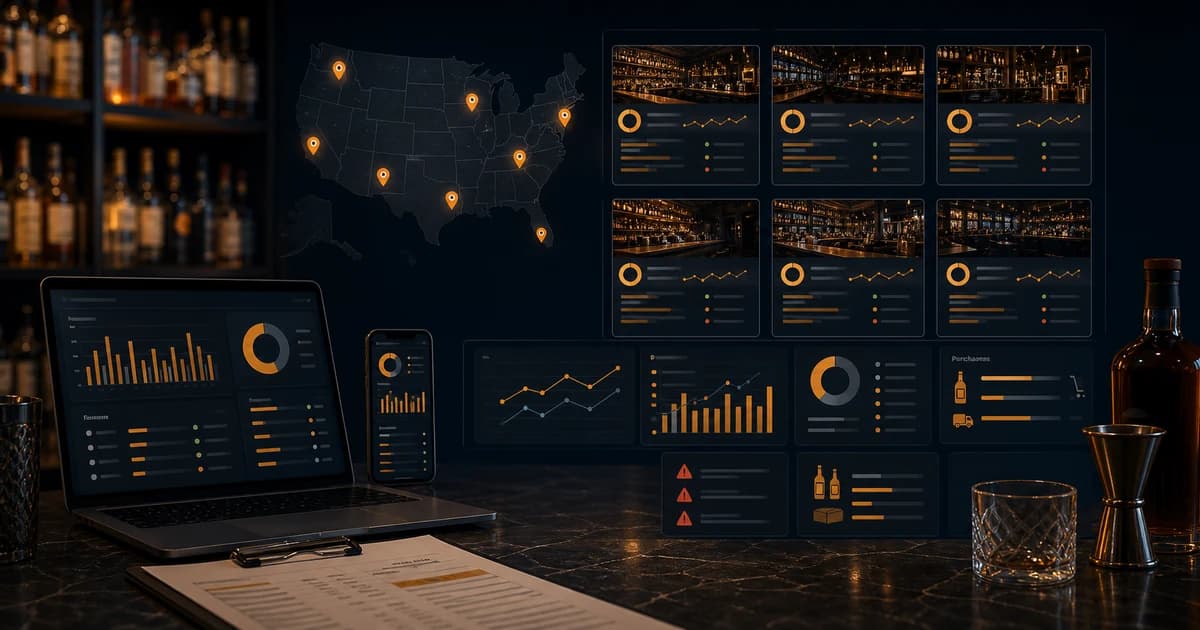
A bar inventory platform for a single venue has one job: help the team count product, track purchases, connect POS sales, and find variance. A multi-location bar inventory platform has a harder job. It has to make every location consistent enough to compare without pretending every location is identical. That means shared item records, location-level counts, vendor pricing, transfers, waste, recipes, COGS, and variance reporting that leadership can actually trust.
Growing bar groups quickly outgrow a single manager's spreadsheet. Once inventory spans more than one location, counts, vendors, and variance have to live in one shared system instead of scattered files. This post covers what a multi-location bar group actually needs when inventory becomes a company-wide operating system rather than one person's side task.
This guide is intentionally not a competitor roundup. It explains the platform requirements that matter for operators with two locations, ten locations, or a regional group preparing to standardize controls. It links into BarGuard's related guides on bar inventory management, stock control, inventory variance, and bar inventory software.
What Is a Bar Inventory Platform?
A bar inventory platform is the shared system a bar uses to manage item records, physical counts, purchases, receiving, vendor costs, recipes, POS sales, waste, transfers, and variance. At the platform level, the system should support repeatable controls across locations and roles. It is more than an app for counting bottles. It is where beverage operations, cost control, and accountability meet.
For one location, the platform may feel like a faster workflow. For multiple locations, it becomes the source of truth. Leadership needs to know whether Location A's tequila variance is worse than Location B's because of theft, recipes, sales mix, receiving, count method, or vendor pricing. A platform makes that comparison possible because the data is structured the same way across the group.
Why Multi-Location Inventory Breaks Spreadsheets
Spreadsheets can work for one disciplined manager. They break when multiple managers, vendors, locations, storage areas, menus, and POS exports enter the picture. One location counts bottles in tenths. Another counts ounces. One uses vendor nicknames. Another uses formal item names. One updates prices monthly. Another never updates them. The owner then tries to compare beverage cost across the group and ends up comparing different definitions.
That is the real scaling problem. The math is not hard. Beginning inventory plus purchases minus ending inventory is straightforward, and the IRS explains inventory and cost of goods sold principles in Publication 334. The hard part is making sure every location feeds that formula with clean, comparable data.
| Spreadsheet problem | Platform requirement | Why it matters |
|---|---|---|
| Different item names | Shared item master | Locations can compare the same product |
| Different count units | Standard unit conversion | COGS and variance stay consistent |
| Local-only vendor prices | Location-level cost history | Leadership sees price differences |
| Untracked transfers | Transfer workflow | One location is not falsely short |
| Manual POS exports | POS integration | Expected usage updates automatically |
| Slow reporting | Group dashboard | Problems surface before month-end |
Shared Item Master With Local Flexibility
The item master is the backbone of a bar inventory platform. It should define product name, category, size, unit, pack, vendor options, recipe usage, and reporting category. Multi-location groups need shared records so one bottle of Tito's does not become five different items across five locations. If each location creates its own naming conventions, group reporting becomes messy immediately.
At the same time, the platform needs local flexibility. One location may carry a product that another does not. One may buy the same wine from a different distributor. One may have a different par level because volume is higher. Standardization should control definitions, not erase operational reality. A good platform separates global item identity from local cost, par, vendor, and availability.
Location-Level Counts and Storage Areas
Each location needs its own count workflow because the physical bar layout is different. Front bar, back bar, liquor room, keg cooler, patio bar, event storage, and offsite storage should be countable as separate areas. The platform should let each location arrange items in shelf order while still rolling results into a group view.
This matters for accountability. A regional manager should not only see that bourbon variance is high across the group. They should see whether it is driven by one location, one storage area, or one repeated count issue. Local detail creates the evidence needed to fix the problem without turning the entire group into a guessing game.
Transfers Between Locations
Transfers are where multi-location inventory often gets messy. A location runs short before an event, borrows product from another bar, and promises to return it later. If that movement is not recorded, one location looks short and the other looks long. The group may have no actual loss, but the variance reports say otherwise.
A platform should track transfer source, destination, product, quantity, unit, date, person sending, person receiving, and approval. Transfers should affect inventory at both locations. They should not be buried in notes. The receiving location should confirm the transfer so product is not counted in two places or in neither place.
Purchasing and Vendor Price Control
Multi-location purchasing can be centralized, local, or mixed. The platform should support all three. Leadership may negotiate preferred vendors and pricing, while local managers still place orders based on par and demand. The system needs to show whether locations are buying the right products at the right cost and whether vendor price changes are affecting recipe margins.
If the group already uses structured purchase orders, the existing bar inventory purchase orders guide goes deeper on that workflow. For platform evaluation, the key question is whether purchases, receiving, credits, substitutions, and vendor prices feed directly into inventory and COGS reporting.
Recipe and POS Standardization
Recipes turn POS sales into expected usage. If one location builds a margarita with 1.5 ounces of tequila and another builds it with 2 ounces, leadership needs to know whether that is intentional. A platform should support shared recipes, local recipe overrides, modifiers, doubles, happy hour items, batch cocktails, and wine or draft serving sizes. Otherwise variance becomes hard to interpret.
POS integration is equally important. A platform that requires manual sales imports at each location creates delays and errors. The best workflow connects POS item sales to recipes so expected usage updates without spreadsheet work. That makes the beverage management software layer much stronger across the group.
Group-Level COGS and Location-Level Detail
Leadership needs both rollups and detail. Group-level beverage COGS shows whether the company is moving in the right direction. Location-level category COGS shows which bars need help. Item-level variance shows what to fix. If the platform only gives a top-line number, managers cannot act. If it only gives item detail without rollups, owners cannot see the business pattern.
A useful dashboard should answer: which locations have rising liquor cost, which products create the most dollar variance, which vendor prices moved, which locations are missing counts, which transfers are open, and which waste reasons are repeating. That is how a platform becomes an operating tool instead of a reporting archive.
Permissions and Accountability
Multi-location inventory requires role-based access. A bartender may need to log waste. A bar manager may need to count, receive, and review variance for one location. A regional manager may need to compare locations. An owner may need full financial visibility. If everyone can edit everything, accountability gets blurry. If permissions are too strict, work slows down.
The platform should preserve an audit trail for counts, adjustments, receiving, transfers, waste, and approvals. The point is not surveillance theater. The point is operational clarity. When numbers change, leadership should know who changed them, when, why, and whether the change was approved.
Multi-Location Reports That Matter
- ▸Group beverage COGS by category and period.
- ▸Location COGS comparison for liquor, beer, wine, mixers, and supplies.
- ▸Top item variance by dollar impact across the group.
- ▸Location-specific variance trends by product and category.
- ▸Vendor price changes by item and location.
- ▸Open transfers and transfer history.
- ▸Missing counts, late counts, and count adjustment history.
- ▸Waste and ullage by location, shift, product, and reason.
Implementation Plan for a Growing Bar Group
Do not roll out a multi-location platform by trying to perfect every record at once. Start with the products that move the most money: top spirits, draft beer, wine by the glass, key modifiers, and high-cost bottles. Clean those item records first. Then standardize categories, count units, recipes, and vendor costs. Run one pilot location before forcing every manager into a new process.
- 1Clean the shared item master and merge duplicate products.
- 2Define categories, count units, pack sizes, and reporting groups.
- 3Map top POS items to recipes and serving sizes.
- 4Load vendor costs and location-specific par levels.
- 5Run a pilot count at one location and fix setup problems.
- 6Roll out location by location with manager training.
- 7Review group dashboards weekly and refine controls.
Questions to Ask Before Choosing a Platform
- ▸Can the platform separate global item records from location-specific costs and pars?
- ▸Can each location count in its own shelf order while reporting to one group dashboard?
- ▸Can it track transfers between locations with approval and receiving confirmation?
- ▸Can it connect POS sales and recipes for each location?
- ▸Can it compare item-level variance across locations by dollar impact?
- ▸Can it show vendor price changes and receiving exceptions?
- ▸Can it support manager permissions without blocking daily work?
- ▸Can leadership see both group rollups and location-level detail?
Data Governance for Bar Groups
The phrase data governance sounds corporate, but in a bar group it means something practical: deciding who is allowed to create items, edit recipes, change costs, approve transfers, adjust counts, and close periods. Without those rules, each location slowly invents its own version of the truth. One manager adds a duplicate vodka item because they cannot find the existing one. Another changes a recipe to match local behavior without telling leadership. Another edits a count after variance looks bad. None of those actions may be malicious, but together they make reporting unreliable.
A multi-location platform should make governance easy enough that managers actually follow it. Global fields should be controlled by leadership or an approved admin. Local fields should be editable by the location team where appropriate. Count adjustments should keep a record of who changed what and why. Recipe changes should have an effective date. Vendor cost updates should show source invoices. The platform should make clean data the default, not a heroic effort.
| Data area | Group-level control | Local flexibility |
|---|---|---|
| Item identity | Canonical product name, size, category | Local availability and shelf order |
| Vendor cost | Approved vendor list and cost history | Location-specific invoice price |
| Recipe | Standard build and expected usage | Approved local override where needed |
| Par levels | Reporting format and reorder logic | Demand-based local par quantity |
| Permissions | Role definitions and audit trail | Location manager daily workflow |
Transfer Example: How False Variance Happens
Imagine Location A sends two bottles of mezcal to Location B for a private event. Location A forgets to record the transfer. Location B receives the bottles but counts them as normal stock. At the end of the week, Location A looks short by two bottles and Location B looks long. If leadership only sees variance, they may suspect over-pouring or theft at Location A. The real issue was an undocumented transfer.
Now multiply that by event stock, patio bars, sister venues, catering, emergency weekend swaps, and manager favors between locations. A transfer workflow is not optional once a group has more than one bar. The system needs to remove the product from the sending location, add it to the receiving location, keep the cost basis clear, and show pending transfers that have not been confirmed. That is how leadership avoids chasing phantom shrinkage.
Common Multi-Location Rollout Mistakes
- ▸Rolling out to every location before the item master is clean.
- ▸Letting each location create its own product naming rules.
- ▸Skipping recipe mapping because the team wants faster counts first.
- ▸Ignoring transfers until the first major variance dispute.
- ▸Giving every manager full edit access to global records.
- ▸Comparing locations before count methods and units are standardized.
- ▸Failing to train regional managers on what the dashboards actually mean.
- ▸Treating implementation as a software task instead of an operating change.
The Weekly Group Inventory Review
A weekly group review should not become a three-hour spreadsheet meeting. The best review starts with the top-line group view, then narrows to location and product. First, review beverage COGS by category across the group. Second, identify the locations with the largest movement from prior week. Third, sort item-level variance by dollar impact. Fourth, review open transfers, missing counts, and vendor price changes. Fifth, assign follow-up actions to the location managers or regional lead.
This cadence lets leadership stay close to the business without micromanaging every shelf. If one location has rising wine cost, the local manager can investigate open-bottle controls. If draft variance appears across several locations, the group may have a training or equipment pattern. If one vendor cost changes across the region, menu pricing can be reviewed before the next month's margin is damaged. The platform should make this review feel like management, not archaeology.
What Leadership Should Standardize First
The first standardization project should not be every product in the building. Start with the items that drive the most dollars and the most risk. For most groups, that means well spirits, premium tequila, top bourbon, vodka, draft beer, wine by the glass, high-volume liqueurs, and the ingredients used in the best-selling cocktails. These items decide most of the variance conversation, so they deserve clean records first.
After the top items are clean, standardize count timing, count units, category names, recipe ownership, transfer rules, and receiving rules. Once those basics are stable, the group can add slower-moving products, seasonal items, event inventory, and location-specific edge cases. This phased approach keeps the rollout manageable and gives leadership useful reporting sooner.
Signs Your Group Has Outgrown Its Current System
- ▸Location managers disagree on beverage cost because they calculate it differently.
- ▸Leadership cannot compare the same product across locations without manual cleanup.
- ▸Transfers are explained in texts, not inventory records.
- ▸Vendor price changes are found after menu margins have already slipped.
- ▸Counts happen weekly, but variance review happens monthly or not at all.
- ▸Regional managers spend more time cleaning spreadsheets than coaching locations.
- ▸One location looks worse than another, but no one trusts the comparison.
How BarGuard Supports Multi-Location Inventory
BarGuard is built around the operating records that multi-location bar groups need: counts, purchases, recipes, POS sales, waste, variance, and cost visibility. The goal is not to create more admin. It is to make every location easier to compare and easier to manage without losing the local details that explain the numbers.
For a group, bar inventory software should help leadership see where product is moving, where cost is rising, where variance repeats, and which locations need support. That is how inventory turns from a location chore into a scalable control system.
The Bottom Line
A multi-location bar inventory platform needs shared structure, local flexibility, POS integration, transfer tracking, vendor cost history, waste reporting, and variance dashboards that leadership can trust. Spreadsheets struggle because each location drifts into its own definitions. A platform keeps the definitions aligned while letting managers run their actual bars.
If your group is growing and every location explains inventory differently, the next step is not another spreadsheet tab. It is a platform that makes counts, purchases, recipes, transfers, waste, COGS, and variance comparable across the business.
BarGuard Catches What You Can't See
Connect your POS, count your inventory, and let BarGuard show you exactly where the gaps are, automatically, every week.