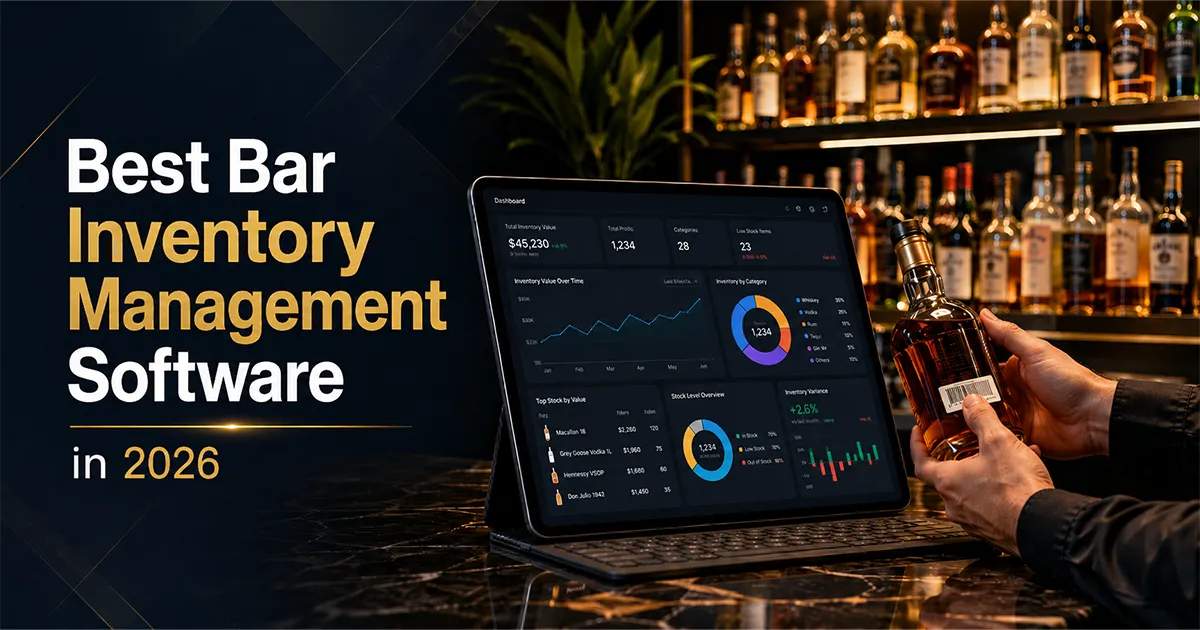
The best bar inventory software in 2026 is the tool that connects your point of sale to your physical counts, calculates variance at the item and shift level, and turns that gap into a weekly action you can actually take. Whether you call it a bar inventory system, a bar inventory app, or full inventory management software, that is the dividing line that matters. A bar does not lose money because it failed to count bottles. It loses money because nobody could explain why the count did not match what the register sold. Last updated July 2026.
That single idea, comparing what was poured against what was sold, is the dividing line between a counting app and real inventory management software. Some tools on this list cross that line. Some do not. This guide compares the ten strongest options honestly, names what each one is genuinely best at, and helps you match the software to your bar instead of forcing your bar to fit the software. If your budget is zero right now, start with the best free bar inventory apps and come back when free stops being enough.
BarGuard is one of the ten, and we built it for a specific operator: the independent or multi location bar that wants POS linked variance, AI invoice scanning, and loss tracking without buying counting hardware. We will tell you plainly where other tools fit better, because a comparison that pretends one product wins every category is not useful to anyone trying to spend money wisely.
Best Bar Inventory Software, Systems, and Apps: Quick Picks
If you want the short answer before the full breakdowns, here are the best bar inventory software picks by use case. Each one is explained in detail further down, with the honest tradeoffs.
- ▸Best bar inventory software overall, POS linked variance with no hardware to buy: BarGuard.
- ▸Best bar inventory system for scale and precision: WISK.
- ▸Best for wine forward and beverage director programs: BinWise.
- ▸Best free bar inventory app for a single location: Backbar.
- ▸Best bar inventory app for the fastest count: Partender.
- ▸Best for large groups running kitchen and bar together: Craftable.
- ▸Best for restaurant first operations that also cover the bar: MarketMan.
- ▸Best for combined food and beverage programs: BevSpot.
- ▸Best done for you managed counting service: Bar-i.
- ▸Best flat single-price plan if manual POS export is fine: Bar Patrol.
What Bar Inventory Management Software Actually Does
Bar inventory management software tracks the product your bar buys, counts, pours, and loses, then ties those numbers together so you can protect margin. At a minimum it should record counts, accept purchases, and report what you have on hand. The tools worth paying for go further. They pull sales from your POS, apply your drink recipes, and calculate how much product you should have used. The difference between that expected usage and your actual usage is variance, and variance is where over pouring, waste, comps, and theft show up as real dollars.
The accounting foundation under all of this is simple. The IRS explains in Publication 334 that beginning inventory, purchases, and ending inventory drive cost of goods sold. Every tool here automates that core math. The expensive ones add the operational layer on top: recipes, POS sales, waste logs, vendor price history, and reporting that sorts problems by dollar impact so a manager knows what to fix first. If you want the formula side in depth, our guide on how to calculate pour cost walks through it step by step.
Beverage costs are a large share of what a bar spends, and the National Restaurant Association has long documented how thin operating margins are in the industry. When a few points of pour cost is the difference between a profitable month and a flat one, the reporting quality of your inventory software stops being a nice to have and becomes the product.
How We Compared These Tools
We scored every tool on the same seven questions. Does it integrate with your POS, and how many systems does it support? How do you count, by phone estimate, by camera, or by a Bluetooth scale you have to buy? Can it read invoices, or do you key in every delivery? How deep is variance, blended category numbers or item and shift level detail? Does it cost recipes? Is pricing transparent or quote only? And finally, who is it genuinely best for? The answers below come from each vendor's current public materials as of June 2026. Where a vendor does not publish pricing, we say so rather than guess.
Bar Inventory Software Comparison at a Glance
Use this matrix to narrow the field, then read the breakdowns underneath for the nuance a table cannot capture. The cleanest way to read it: find the row that matters most to your bar, usually POS integration or counting method, and eliminate from there.
| Capability | BarGuard | WISK | Backbar | Partender | Craftable | MarketMan | BevSpot | BinWise | Bar-i | Bar Patrol |
|---|---|---|---|---|---|---|---|---|---|---|
| POS integration | ✓ Toast, Square, Clover, Focus | ✓ 60+ systems | ✓ Toast, Square, Clover | ✗ Manual sales entry | ✓ 1,000+ integrations | ✓ All major POS | ✓ Available, partner terms vary | ✓ Integrates with POS | ✓ 40+ systems | ✗ Manual export to Excel |
| Counting method | ✓ Phone + camera bottle scan, no hardware | Bluetooth scale | Manual or Bluetooth scale | Tap bottle image | Mobile, multi device | Mobile | Not detailed | Barcode scanning | You count, they manage | Bluetooth scale, sold separately |
| Invoice handling | ✓ AI photo invoice scan | Invoice processing | Invoice + ordering | ✗ Spreadsheet ordering | ✓ Invoice + AP | ✓ Invoice scanning | ✓ Invoice management | Not detailed | ✓ Managed entry | Not detailed |
| Variance depth | ✓ Item, shift, and date level | Item level | Item level | ✗ Category level only | Item level | Item level | Not detailed | Not detailed | ✓ Item level, managed | Not detailed |
| Recipe costing | ✓ Built in | ✓ Yes | ✓ Yes | ✗ Not available | ✓ Yes | ✓ Yes | Not detailed | Not detailed | ✓ Done for you | Not detailed |
| Pricing model | ✓ Essential $129, Professional $249, Multi-Location custom quote | Quote based | Free plan, paid from $79 | $299/mo | Quote based, premium | $199 to $429 per location | Quote based; free for preferred partners, activation fee for others | Quote based | Service, approx $5,400/yr | $49-69/mo flat, hardware sold separately |
| Best for | Bars wanting POS variance, no hardware | Multi unit, scale precision | Single location on a budget | Speed only counting | Large groups, kitchen + bar | Restaurant first operations | Combined food and beverage | Wine forward, beverage director | Done for you counting | Lowest flat price, manual POS export OK |
The 10 Best Bar Inventory Management Tools in 2026
1. BarGuard, Best for POS Linked Variance Without Hardware
BarGuard is built for the independent or small group bar that wants the depth of an enterprise system without buying scales or hiring a service. It connects directly to Toast, Square, Clover, and Focus, pulls your sales automatically, and compares poured against sold at the item, shift, and date level. Counting happens on your phone, including a camera based bottle scan that estimates partial bottle levels, so there is no Bluetooth hardware to manage. Deliveries get logged by photographing the invoice, and BarGuard's AI reads the line items and matches them to your inventory.
The honest tradeoff: BarGuard integrates with four major POS systems rather than sixty, so if you run a less common register you should confirm the connection first. Where it stands out is clarity of pricing and clarity of reporting. Essential and Professional plans are public at $129 and $249 per month, Multi-Location is a custom quote, and the variance reports are designed to sort loss by dollar impact rather than burying you in dashboards. See the full feature set on the features page, try the live bar inventory app, or read how the variance calculation actually works. If you are weighing BarGuard against specific competitors, we keep honest breakdowns at Partender alternative, WISK alternative, Backbar alternative, and BevCheck alternative.
2. WISK, Best for Scale Based Precision at Scale
WISK is a mature, full featured platform aimed at multi unit operators and hotels that want very precise counts. Its signature is a Bluetooth scale that weighs partial bottles, kegs, and wine for exact remaining levels, which removes the guesswork of eyeballing a bottle. It integrates with more than sixty POS systems, syncs sales in real time, and produces strong variance reporting.
The considerations are cost and hardware. Pricing is quote based rather than published, so you cannot compare it on a price page, and the scale workflow means staff need the device in hand to count accurately. For a large operation that values precision above all and has the budget to match, WISK is a serious tool. For a single bar that wants to start counting tonight on a phone, it can be more system than the job requires.
3. Backbar, Best Free Plan for a Single Location
Backbar offers a genuinely useful free forever plan that covers inventory counting and ordering for one location, with paid tiers starting around $79 per month. It integrates with Toast, Square, and Clover, supports a Bluetooth scale for precise counts, calculates variance, and includes a recipe builder that updates costs as prices change. For a new or budget conscious bar, the free entry point is hard to argue with.
The limits show up as you grow. The free plan is single location, and the deeper automation and loss analysis live in paid tiers. If your main question is what is truly free in this category, we compare the real free options in our guide to the best free bar inventory apps, including where free plans stop being enough.
4. Partender, Best for Fast Counting Only
Partender is the speed champion. You tap a bottle image to mark how full it is, and a full count can take well under an hour. That experience is genuinely good. The problem is what comes after the count. Partender does not integrate with POS systems, so sales data is entered manually and variance is limited to broad category numbers rather than item and shift detail. At $299 per month, it is priced like a full platform while leaving out the POS connection that makes variance trustworthy.
If pure counting speed is all you need and you do not run a POS, Partender works. If you need to know which item and which shift is losing money, read our detailed Partender alternative breakdown for the full picture.
5. Craftable, Best for Large Groups Running Kitchen and Bar
Craftable, formerly Bevager, is a comprehensive back office platform that spans both food and beverage. It advertises more than a thousand integrations across POS, accounting, and vendor systems, handles invoices and accounts payable, costs recipes, and supports multi device counting. For a restaurant group that needs one platform to run the kitchen and the bar together, that breadth is the point.
The flip side is that breadth comes with complexity and a premium, quote based price that is hard to pin down before talking to sales. A single neighborhood bar rarely needs a full enterprise back office, and the setup investment reflects the larger scope. Craftable shines for groups, not for the independent operator who just wants tight bar variance.
6. MarketMan, Best for Restaurant First Operations
MarketMan is a strong restaurant inventory platform that handles bar product well as part of a broader food program. It integrates with all major POS systems, scans invoices, costs recipes, and connects to accounting. Pricing is published in tiers that run from roughly $199 to $429 per location per month depending on edition, with invoice scan limits on lower tiers and unlimited scans higher up.
If your operation is a restaurant with a bar attached, and food inventory is the larger job, MarketMan covers both well. If you are a bar first venue where beverage variance, pour cost, and theft detection are the priority, a bar focused tool will speak your language more directly out of the box.
7. BevSpot, Best for Combined Food and Beverage
BevSpot is an established food and beverage management tool that connects sales and inventory through POS integration, with free integration for preferred partners and an activation fee for others. It includes a price tracker that surfaces vendor cost changes over time, direct vendor ordering, and invoice management, and it markets a significant reduction in the time spent on inventory tasks.
Pricing is quote based, so you will need to contact their team for a current figure. BevSpot fits an operator who wants food and beverage in one place and values vendor price tracking. As with the other broad platforms, a bar that only needs beverage depth may find a focused tool simpler to live in day to day. See the full BarGuard vs BevSpot breakdown for the side by side.
8. BinWise, Best for Wine Forward and Beverage Director Programs
BinWise is a beverage inventory platform with deep roots in wine and beverage director programs. It centers on barcode scanning to keep a detailed catalog accurate, supports perpetual inventory and purchase orders, values your cellar, and integrates with POS systems. For a restaurant with a serious wine list, that catalog depth and valuation focus is the draw.
The considerations are the barcode workflow and quote based pricing. Maintaining a barcode catalog means labeling and scanning items, and BinWise pricing is oriented around custom quotes rather than a public page. A high volume bar that cares more about pour cost, over pouring, and theft than cellar valuation may find a bar focused tool faster to live in. See the full BarGuard vs BinWise breakdown for the side by side.
9. Bar-i, Best for Done For You Managed Counting
Bar-i is different in kind from the rest of this list. It is a hybrid service: your team collects the data by counting, gathering invoices, and exporting sales, and a dedicated Bar-i account manager handles setup, invoice entry, price updates, POS integration across more than forty systems, and error resolution. It precisely compares what was poured against what was sold for every product on its higher service tier.
Pricing reflects the managed model. For a bar around $50,000 in monthly beverage sales, the bi weekly service runs in the range of $5,400 per year. For an owner who would rather hand off the analytical work entirely and just receive answers, that is money well spent. For an owner who wants to run the numbers themselves in software, a self serve tool will cost far less.
10. Bar Patrol, Best Flat-Rate Plan If You Do Not Mind Manual POS Export
Bar Patrol is a single flat priced plan at $49 to $69 per month, unlimited users and locations included, with counting done on a Bluetooth scale sold separately for $129. For a bar on a tight budget that wants everything on one price tag, that is a real draw.
The tradeoff is how sales data gets in. Bar Patrol’s own documentation describes the POS connection as exporting your sales report to Excel, then uploading the file, a step that repeats every count cycle. There is no free trial either, and the first month has no refund. See the full BarGuard vs Bar Patrol breakdown for the side by side.
Which Bar Inventory Software Is Right for You
The best choice depends less on feature counts and more on the kind of operation you run and how you want to work. Match yourself to one of these profiles.
- ▸You run an independent or small group bar and want POS linked variance, invoice scanning, and flat public pricing without buying hardware: BarGuard.
- ▸You are a multi unit operator or hotel that wants the most precise counts possible and has the budget for it: WISK.
- ▸You are a single location on a tight budget and want to start free today: Backbar.
- ▸You only need the fastest possible count and do not run a POS: Partender.
- ▸You are a large restaurant group that needs one platform for kitchen and bar: Craftable.
- ▸You are a restaurant first venue where food inventory is the bigger job: MarketMan.
- ▸You want food and beverage combined with vendor price tracking: BevSpot.
- ▸You run a wine forward program and want cellar valuation with barcode accuracy: BinWise.
- ▸You want to hand the analysis off to a managed service entirely: Bar-i.
- ▸You want the lowest flat price and are fine exporting POS sales to Excel yourself: Bar Patrol.
What to Look For Before You Buy
Whichever direction you lean, pressure test any tool against these criteria before you commit. They are the factors that separate software you will still use in six months from software that becomes an expensive count sheet.
- 1Real POS integration. Confirm your exact POS is supported and that sales sync automatically. Without it, variance is a manual estimate. Our breakdown of a <a href="/blog/bar-inventory-app-vs-pos-inventory">bar inventory app versus POS inventory</a> explains why this matters more than any other feature.
- 2Counting method that fits your team. Decide whether you want phone based counting, camera scanning, or a Bluetooth scale, and whether buying and maintaining hardware is realistic for your staff.
- 3Invoice handling. Logging deliveries by hand is where data entry quietly dies. AI invoice scanning keeps purchases current without extra labor.
- 4Variance you can act on. Item, shift, and date level variance points to a specific bottle and a specific night. Blended category numbers rarely lead to a fix.
- 5Transparent pricing. A published price you can read on a <a href="/pricing">pricing page</a> lets you budget honestly. Compare the real numbers in our guide to <a href="/blog/bar-inventory-software-pricing">bar inventory software pricing</a>.
- 6A fair trial. You should be able to load your bar, run a real count, and see actual variance before you pay. Reading a feature list is not the same as seeing your own numbers.
How BarGuard Approaches the Problem
BarGuard exists because most bars do not need an enterprise platform or a managed service to find their leaks. They need their POS connected, their counts fast, their invoices logged without typing, and a report that says which item lost money on which shift. Connect your register, count on your phone with camera assisted bottle scanning, photograph invoices for the AI to read, and let BarGuard surface the gaps every week. You can see the workflow on the how it works page and the live scanning tools at scan.
It is not the right tool for every bar on this page, and we have said so above. But if your goal is POS linked loss detection at a transparent price, without hardware to buy or a service contract to sign, that is exactly the bar BarGuard was designed for. The fastest way to know is to run your own numbers through it.
Common Mistakes When Choosing Bar Inventory Software
Most regret in this category does not come from picking the wrong brand. It comes from choosing on the wrong criteria. After watching bars adopt, abandon, and switch tools, the same avoidable mistakes show up again and again. Knowing them in advance is worth more than any single feature comparison.
- ▸Buying on counting speed alone. A fast count feels great in a demo, but speed without POS integration leaves you with a quick number you still cannot explain. Speed is a feature, not a strategy.
- ▸Ignoring POS compatibility. The most common post purchase surprise is discovering your register is not supported, or is supported only through manual export. Confirm your exact POS before you sign, not after.
- ▸Underestimating invoice labor. A tool that makes you key in every delivery quietly stops getting used. Purchase data goes stale, and stale purchases break variance. AI invoice scanning is what keeps the data honest without extra hours.
- ▸Paying for hardware precision you will not use. A scale adds accuracy, but only if your team uses it on every shift. If it ends up in a drawer, you paid for precision you never captured. Be realistic about your staff and your turnover.
- ▸Choosing quote only tools without budgeting. Opaque pricing makes it easy to overcommit. Insist on a real number, and compare it against tools that publish their plans before you decide.
- ▸Skipping a real trial. Reading a feature list is not the same as seeing your own bar. Load your products, run an actual count, and look at real variance before you pay for a year.
- ▸Treating software as a count sheet. The tool does not save money. The weekly habit of reviewing variance and acting on it does. Pick something your managers will actually open every week.
Avoiding these traps is mostly about sequencing your evaluation correctly: confirm POS support first, then counting workflow, then invoice handling, then pricing, and only then features. If you want a disciplined process for the operational side once the software is chosen, our guide on how to do bar inventory the right way pairs well with whichever tool you land on, and the pricing guide keeps your budget grounded.
Frequently Asked Questions
What is the best bar inventory management software?
The best bar inventory management software is the tool that connects to your POS and calculates variance at the item and shift level. For independent and small group bars that want that depth without buying hardware, BarGuard is the strongest fit at a flat, public price. WISK suits large multi unit operators wanting scale based precision, Backbar fits single locations on a budget with a free plan, and Bar-i fits owners who want a done for you managed service.
What is the best bar inventory app?
For most bars, the best bar inventory app is one that counts on your phone and still connects to your POS so variance is trustworthy. BarGuard counts by phone with camera assisted bottle scanning and links to Toast, Square, Clover, and Focus, so there is no scale to buy. Partender is the fastest pure counting app but does not integrate with POS, and Backbar offers a solid free app for a single location.
Is a bar inventory system different from a bar inventory app?
In practice the terms overlap, but a bar inventory app usually means the phone tool you count with, while a bar inventory system means the full platform that ties counts to POS sales, recipes, invoices, and variance reporting. The best bar inventory software is both: an app that is fast to count in and a system that explains where the money went.
Does bar inventory software need to integrate with my POS?
For trustworthy variance, yes. POS integration is what lets the software compare what was actually sold against what was poured. Without it, you can count bottles but you cannot calculate accurate item level variance, because sales have to be entered manually and are limited to broad categories. POS integration is the single most important feature to confirm before buying.
What is the difference between a bar inventory app and inventory management software?
A bar inventory app typically helps you count bottles quickly and record what is on hand. Inventory management software adds the operational layer on top: it pulls POS sales, applies your recipes, calculates expected versus actual usage, tracks invoices and vendor prices, and reports loss by dollar impact. The dividing line is whether the tool can tell you why your count does not match your sales.
How much does bar inventory management software cost?
It ranges widely. Backbar offers a free plan with paid tiers from about $79 per month. Bar Patrol is a flat $49 to $69 per month, with a Bluetooth scale sold separately. BarGuard publishes flat pricing at $129 and $249 per month, with a custom quote for multi-location. MarketMan runs roughly $199 to $429 per location per month. Partender is $299 per month. WISK, Craftable, BevSpot, and BinWise use quote based pricing. Bar-i is a managed service in the range of $5,400 per year for a mid volume bar.
Do I need a Bluetooth scale to track bar inventory?
No. A scale improves precision on partial bottles, and WISK and Backbar support one, but it is not required. BarGuard uses a phone camera to estimate partial bottle levels with no extra hardware, and Partender uses a tap based bottle image. Whether a scale is worth it depends on how much precision your variance reporting needs and whether your team will consistently use the device.
Can bar inventory software help detect theft?
Yes, when it integrates with your POS. By comparing poured against sold at the item and shift level, the software flags products that deplete faster than sales justify, which is the data pattern behind most theft and over pouring. Tools without POS integration can only show a category level gap, which is far harder to act on. Item and shift level variance is what turns a suspicion into evidence.
BarGuard Catches What You Can't See
Connect your POS, count your inventory, and let BarGuard show you exactly where the gaps are, automatically, every week.