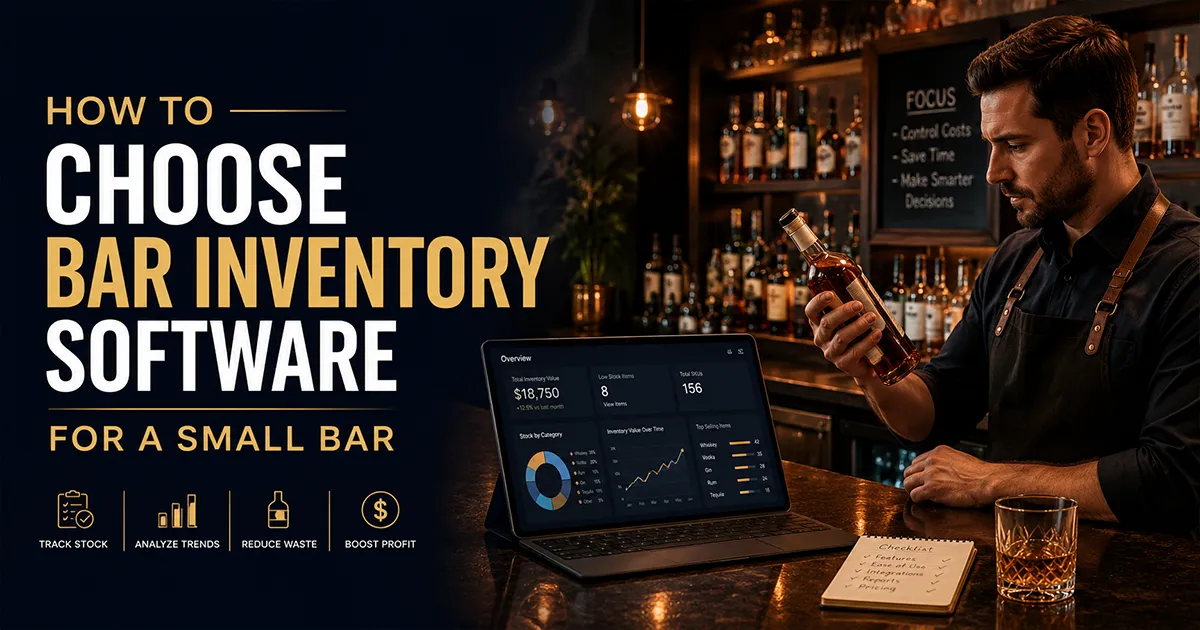
Choosing bar inventory software as a small bar is mostly about discipline: buying the few features that actually move money and ignoring the long list that looks impressive in a demo but never gets used. A small bar does not have a back office team, a dedicated inventory manager, or budget to waste on a platform built for a fifteen location group. What it has is a busy owner who needs to know, quickly and reliably, whether the product going out the door matches the money coming into the register.
That single test should drive your decision. The right tool for a small bar connects to your point of sale, lets you count fast on a phone, keeps purchase data current without hours of typing, and reports variance you can act on in a few minutes a week. Everything beyond that is a bonus, not a requirement. This guide walks through exactly what to prioritize, what to skip, what to pay, and the mistakes that cost small bars the most.
What "Small Bar" Means for a Software Choice
A small bar in this context is a single location, usually owner operated or with one or two managers, carrying anywhere from a few dozen to a few hundred SKUs across spirits, beer, and wine. You count weekly or every couple of weeks, you do your own ordering, and nobody on the team has time to babysit complicated software. That profile changes what good looks like. An enterprise platform with a thousand integrations and a managed onboarding is not a better fit just because it has more. For you, simplicity and speed are features, and complexity is a cost.
It helps to be honest about your real constraints before you shop. The U.S. Small Business Administration documents how thin cash flow and owner time are for small operations in the resources it publishes for small businesses. For a small bar, the software that wins is the one your team will actually open on a Monday morning, not the one with the longest feature list.
Start With the One Question That Matters: POS Integration
Before you compare anything else, answer one question: does the software connect to your exact point of sale, and does it sync sales automatically? This is the feature that separates real inventory management from a digital count sheet. With POS integration, the software pulls what you sold, applies your recipes, and calculates how much product you should have used. The gap between that and what you actually used is variance, and variance is where over pouring, waste, and theft show up as dollars.
Without POS integration, you are entering sales by hand, which almost never happens consistently in a small bar, and your variance is a rough category guess at best. Confirm your specific register is supported before you fall in love with anything else. We explain why this matters more than any other feature in our guide on a bar inventory app versus POS inventory, and you can see the major integrations BarGuard supports, including Toast, Square, Clover, and Focus, on the features page.
The Features a Small Bar Actually Needs
It is easy to get talked into features. Here is the honest split between what a small bar needs from day one and what can wait until you are bigger or have a specific reason. Buy for the left column. Treat the right column as a bonus, not a deciding factor. If you want the shortlist first, compare bar inventory software by use case before you sit through a demo.
| Need from day one | Nice to have later |
|---|---|
| POS integration for your register | Sixty plus POS integrations you will never use |
| Fast phone based counting | Bluetooth scales and installed hardware |
| AI invoice scanning to log purchases | Full accounts payable and accounting suites |
| Item and shift level variance | Multi location roll up reporting |
| Recipe costing for your top drinks | Kitchen and food inventory modules |
| Waste and breakage logging | Vendor EDI and automated procurement |
| Transparent, flat pricing | Custom enterprise contracts |
Notice what is missing from the day one list: anything that requires hardware, a dedicated administrator, or a sales call to learn the price. A small bar can run a complete, accurate inventory program with nothing more than a phone, a POS connection, and software that does the math. If a vendor pushes you toward installed equipment or a quote based contract, ask whether your bar will actually use what you are paying for.
Counting Method: Phone or Scale for a Small Bar
Counting is where staff time goes, so the method matters. Three approaches are common. A tap based app where you mark how full a bottle looks is fast but shallow. A Bluetooth scale that weighs each partial bottle is precise but means buying, charging, and maintaining a device, and training the team to use it on every shift. A phone camera that estimates partial levels lands in the middle: quick, hardware free, and accurate enough for the variance decisions a small bar actually makes.
For most small bars, the camera or app based approach wins because it removes the hardware barrier. A scale earns its place when you carry a large premium inventory where small precision gains translate into real money, which is less common at a single neighborhood bar. Be realistic about whether your team will consistently use a device. A precise tool that sits in a drawer is less accurate in practice than a quick tool everyone uses. For the mechanics of an accurate count regardless of tool, see how to do a bar inventory count.
What a Small Bar Should Pay
Pricing in this category runs from free to enterprise. A small bar should expect to land in the low hundreds of dollars per month for a capable, POS connected tool, and should be skeptical of both extremes. Free plans can be a fine starting point but often cap at a single location and hold back the loss analysis that justifies the effort. Enterprise quote based pricing usually buys breadth a small bar will not use.
Look for published, flat pricing so you can budget without a sales call. As a reference point, BarGuard publishes Essential at $129 and Professional at $249 per month, with Multi-Location available as a custom quote, and the entry plan aimed at exactly this kind of single location operation. Our bar inventory software pricing guide breaks down what bars should expect to pay and why, and the pricing page lists each plan. The accounting basics behind all of this, beginning inventory, purchases, and ending inventory, are explained plainly in IRS Publication 334 if you want the foundation.
Free Versus Paid for a Small Bar
A genuine free plan is tempting when money is tight, and for a brand new bar it can be the right first step. The question is what the free tier leaves out. Free plans are usually single location, lean on counting and ordering, and reserve the deeper variance and automation for paid tiers. That is fine until your real problem becomes loss rather than counting, at which point the free tool stops paying for itself.
We compare the honest free options, and where they fall short, in our guide to the best free bar inventory apps. If you are weighing a strong free counting tool against paid loss detection, our Backbar alternative breakdown lays out that exact tradeoff. The rule of thumb: start free if you only need to count, move to paid the moment you need to know where product disappears.
A Simple Six Step Selection Process
You do not need a procurement committee. Run this short process and you will avoid almost every expensive mistake.
- 1Confirm POS support. Verify your exact register integrates and that sales sync automatically. If it does not, the tool is off your list.
- 2Pick your counting method. Decide whether your team will realistically use a scale, or whether phone based counting fits your bar better.
- 3Check invoice handling. Make sure logging deliveries does not require keying in every line, because that is the task that quietly gets abandoned.
- 4Read the price. Insist on a published number you can budget against, and compare it in our <a href="/blog/bar-inventory-software-pricing">pricing guide</a>.
- 5Run a real trial. Load your own products, run an actual count, and look at real variance before you commit to a year.
- 6Decide who owns the weekly review. The software only saves money if a named person opens it every week and acts on the variance.
If you want to see how specific tools stack up against these criteria before you trial anything, our best bar inventory management software comparison scores ten options honestly, and the four approaches comparison explains how dedicated software differs from spreadsheets, POS built-in inventory, and hardware systems.
Mistakes Small Bars Make
- ▸Choosing on counting speed alone, then realizing the tool cannot explain the gap because it does not connect to the POS.
- ▸Buying hardware the team never consistently uses, paying for precision that never gets captured.
- ▸Picking a quote based enterprise tool that is far more platform than a single bar needs.
- ▸Logging invoices by hand, letting purchase data go stale, and quietly breaking variance.
- ▸Skipping the free trial and committing to a year based on a feature list instead of real numbers.
- ▸Treating the software as a count sheet rather than a weekly habit, so the data never turns into a decision.
Signs Your Small Bar Has Outgrown Spreadsheets
Most small bars start with a spreadsheet, and for a while it is fine. The problem is that a spreadsheet only reflects what you typed into it. It cannot pull your sales, apply your recipes, or tell you whether the count makes sense. The moment your bar gets busy enough that small leaks add up to real money, the spreadsheet stops keeping pace, and the gaps it cannot explain become the gaps that hurt.
A few signs you have outgrown the spreadsheet: counts take longer than the insight is worth, you cannot say which item or shift is driving a high pour cost, deliveries pile up unentered so your numbers drift, and you find yourself guessing at theft instead of seeing it. If two or more of those sound familiar, dedicated software will likely pay for itself quickly. Our bar inventory spreadsheet template is honest about where the spreadsheet approach stops working, and the four approaches comparison shows what you gain by moving up a level.
What a Small Bar Inventory Routine Looks Like
The tool only matters if it fits a routine you can actually sustain. For a small bar, the rhythm is simple and weekly. Count at the same time each week, usually before open or right after close, so opening stock is consistent and variance is comparable from week to week. Enter or confirm every delivery before you run the numbers, because a missing purchase makes usage look higher than it really was and turns a paperwork issue into a fake shrinkage problem.
Then spend a few minutes on the variance report. Sort by dollar impact, look at the handful of items with the biggest gaps, and ask a simple question for each: is this explained by logged waste, a recipe that needs updating, a price change, or something that needs a closer look? Assign one next action per issue and move on. That is the entire job. Software that makes this weekly loop fast and obvious is worth more to a small bar than software with twice the features and half the follow through. For the counting mechanics inside that loop, see how to do bar inventory the right way.
Questions to Ask Before You Buy
A short, pointed list of questions will tell you more than any feature grid. Ask each vendor these before you commit, and treat a vague answer as an answer in itself.
- ▸Does it integrate with my exact POS, and does sales data sync automatically or do I enter it by hand?
- ▸What does counting actually look like, and does it require buying hardware?
- ▸Can it read invoices automatically, or do I key in every delivery line?
- ▸Does variance break down to the item and shift level, or only broad categories?
- ▸What is the real monthly price for a single location, and is it published or quote based?
- ▸Can I run a real trial with my own products and see actual variance before I pay?
- ▸If I add a second location later, what changes in price and setup?
The answers map directly to the priorities in this guide. If a vendor cannot give you a clear price, cannot confirm your POS, or cannot let you trial on your own data, those are real signals, not minor inconveniences. A small bar cannot afford to learn these things after signing a year long contract.
Will It Pay for Itself? A Small Bar ROI Check
Inventory software is only worth buying if it returns more than it costs, and for a small bar that math is usually straightforward. Pour cost is the lever. If your beverage cost is running several points above your target, even recovering one or two points of that gap on a modest monthly beverage volume often covers the subscription several times over. The savings come from the specific things software surfaces: over pouring on a few high volume drinks, a price increase that quietly raised a recipe cost, unlogged waste, or a shift where depletion does not match sales.
Run the simple version before you buy. Estimate your current pour cost, estimate where it should be, and translate the difference into dollars against your monthly beverage sales. If that number is larger than the software price, the tool pays for itself the first time it helps you close part of the gap. Our guides on how to calculate pour cost and how to reduce liquor cost percentage walk through the math, and the pricing guide helps you put a realistic cost on the other side of the equation.
How BarGuard Fits a Small Bar
BarGuard was built for the single location and small group operator, which is exactly the small bar profile. It connects to Toast, Square, Clover, and Focus, counts on the phone your team already carries with camera based bottle scanning, reads invoices with AI so purchases stay current, and reports variance at the item, shift, and date level. Pricing is flat and public, starting at $129 per month, so there is no sales call to learn what you will pay.
It will not be the right fit for every bar, and a strong free plan or an enterprise platform may suit some operators better. But if you want POS linked loss detection without hardware, without a contract, and without complexity your team will not use, that is the bar BarGuard is designed for. See the workflow on the how it works page, or the full product on the bar inventory software page, and run your own numbers through a free trial before you decide.
Frequently Asked Questions
What is the most important feature for a small bar inventory tool?
POS integration. It is what lets the software compare what you sold against what you poured and calculate accurate variance. For a small bar that will not reliably enter sales by hand, automatic POS sync is the single feature that turns inventory software from a digital count sheet into real loss detection. Confirm your exact register is supported before considering anything else.
Does a small bar need a Bluetooth scale?
Usually not. A scale adds precision on partial bottles, but it means buying, charging, and maintaining a device your team must use on every shift. Phone based or camera based counting is hardware free and accurate enough for the variance decisions a small bar actually makes. A scale is most worth it when you carry a large premium inventory where small precision gains translate into real money.
How much should a small bar pay for inventory software?
Most small bars should expect to pay in the low hundreds of dollars per month for a capable, POS connected tool. Free plans exist and can be a fine starting point, but often cap at a single location and hold back loss analysis. Look for published flat pricing so you can budget without a sales call. BarGuard starts at $129 per month for a single location.
Is free bar inventory software good enough for a small bar?
It can be, at first. A free plan is a reasonable starting point if you only need to count and order. The limit shows up when your real problem becomes loss rather than counting, since free tiers usually reserve deeper variance and automation for paid plans and cap at one location. Start free if you only need to count, and move to paid when you need to find where product disappears.
What does it take for a small bar to set up inventory software?
You import your item list, connect your POS, and run a first count. The first count sets your baseline, and the second count is where variance becomes visible. The longer part is the habit: deciding who reviews variance each week and acts on it, which is what actually saves money.
What is the biggest mistake small bars make choosing software?
Choosing on counting speed alone and ending up with a tool that cannot explain the gap because it does not connect to the POS. A fast count feels great in a demo, but without POS integration you get a quick number you still cannot act on. Confirm integration first, then evaluate speed, invoices, price, and trial experience.
BarGuard Catches What You Can't See
Connect your POS, count your inventory, and let BarGuard show you exactly where the gaps are, automatically, every week.